Build Your First Marketing Automation Workflow
Discover how to build a powerful marketing automation workflow. Our guide provides proven examples and strategies to boost sales and customer loyalty.

A marketing automation workflow is basically a pre-built journey you create for your customers. You map out a series of automated actions that guide them from one point to the next, making sure they get the right message at exactly the right time.
Think of it as your best employee, the one who knows exactly what to say and when to say it, working around the clock. This setup ensures every customer interaction feels personal and relevant, whether they’ve just signed up for your newsletter or left a full cart behind.
What Is A Marketing Automation Workflow
Let's use a real-world analogy. Imagine a customer walks into your brick-and-mortar store, looks around, picks something up, but then puts it down and leaves. A great salesperson might notice and offer help or a reminder. In the digital world, you can’t personally watch every visitor, and that's where a marketing automation workflow comes in.
It acts as your tireless digital sales assistant. You design a sequence of steps just once, and it runs automatically for every single person who meets a specific trigger.
This automated journey is kicked off by something a customer does—or doesn't do. For example, a shopper abandoning their cart is a perfect trigger. The workflow springs into action, sending them a reminder email without you lifting a finger. But it's not just a one-and-done message; it’s a strategic series that might include follow-ups, a special discount, or even product recommendations.
Moving Beyond Simple Email Blasts
It’s easy to think marketing automation is just about scheduling your weekly newsletter. But a true workflow is so much more intelligent than that. It’s dynamic. It listens for customer signals and reacts in real-time, creating a highly relevant experience that builds trust and, ultimately, drives sales.
This is a huge leap from old-school email marketing, where you'd just send one generic message to your entire list, regardless of who they were or what they did. Workflows deliver the right message at the moments they matter most.
These sequences aren't just for recovering lost sales, either. A well-designed workflow is fantastic for welcoming new subscribers, educating them about your brand, and building long-term loyalty.
Before we get into the nuts and bolts, let's look at why this matters so much for your store.
Core Benefits Of Marketing Automation Workflows
Here’s a quick look at the immediate impact a well-built workflow can have on your e-commerce business.
| Benefit | Impact On Your Business |
|---|---|
| Saves Time and Resources | Frees up your team from repetitive tasks to focus on strategy and growth. |
| Improves Customer Relationships | Personalized messages show customers you're paying attention, strengthening their bond with your brand. |
| Increases Revenue | Directly boosts conversion rates and average order value with targeted, timely offers. |
In short, these automated systems turn scattered, one-off interactions into meaningful, ongoing conversations.
They are fundamentally different from the standard, one-time messages you might already be sending. To dig deeper into the various types of automated messages, check out our guide on what is transactional email and why it matters for your business.
The Three Pillars Of Any Great Workflow
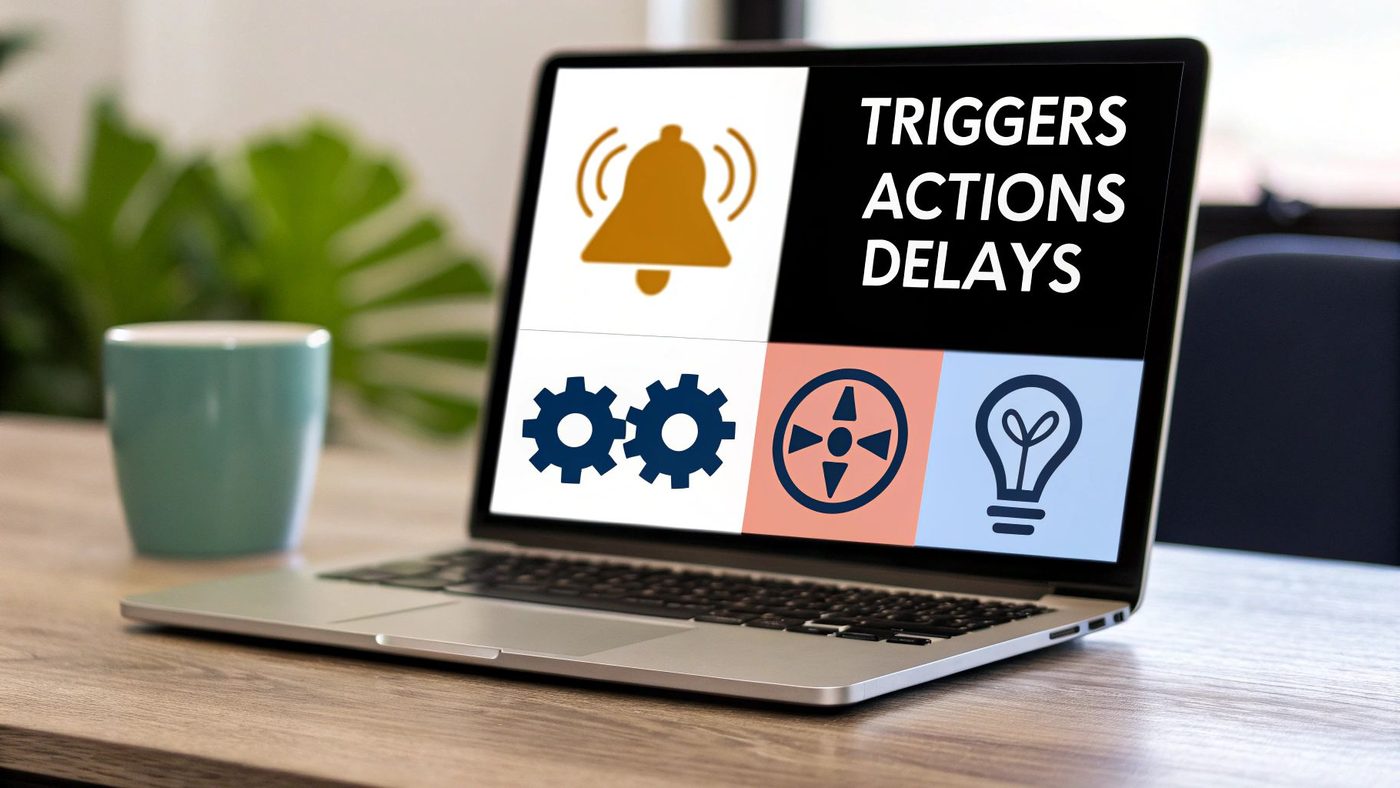
How to create marketing automation workflow that works? Every marketing automation workflow, no matter how simple or complex, is built from just three core components. Once you get your head around these, you'll be able to map out powerful sequences that actually drive sales and keep customers coming back.
Think of it like setting up a line of dominoes. You need that first push to get things started, the dominoes themselves to do the work, and the right spacing between them. In automation, these are your Triggers, Actions, and Delays.
Let's break them down.
1. Triggers: The Starting Push
A Trigger is the specific customer behavior or event that kicks off your workflow. It's the "if this happens..." command that tells your system, "Okay, go time!" Without a trigger, your automation just sits there, waiting for instructions.
Triggers are all about listening to what your customers are doing. For a Shopify store, common triggers include:
- Subscribing to a newsletter: The classic starting point for a welcome series.
- Adding an item to their cart: This is the cue to start a potential abandoned cart sequence.
- Making a purchase: Kicks off your post-purchase thank you, cross-sell, or review request flows.
- Viewing a specific product page: A slightly more advanced trigger used for browse abandonment emails.
These are the signals your customers send you. Triggers are how your automation platform pays attention.
2. Actions: The Domino Effect
Once a trigger fires, an Action is the "…then do this" part of your workflow. It's the automated response your system carries out. Usually, for e-commerce, that action is sending an email, but it could also be adding a tag to a customer's profile or even notifying your team.
Sticking with our examples from above:
- A newsletter signup triggers the action of sending the first welcome email.
- Adding an item to the cart triggers the action of sending a cart reminder.
- Making a purchase triggers the action of sending an order confirmation.
The best workflows don't just have one action. They chain multiple actions together to create a smooth, helpful customer journey. The goal is to send a series of relevant messages that guide a customer toward making that next purchase or leaving that five-star review.
These actions are far more powerful when they’re sent to the right people. This is where grouping your audience comes in, and you can get a better handle on this by understanding what is email segmentation and how it drives growth.
3. Delays: The Strategic Pause
Finally, Delays are the all-important pauses you build into your workflow. They control the timing and pacing of your actions, making sure your automation feels helpful, not spammy. A delay is just a "wait for a bit" instruction.
Think about it: without delays, a new subscriber could get five emails in five minutes. That’s a fast track to the unsubscribe button. Strategic delays make your communication feel natural.
Here's how they look in practice:
- Wait 1 hour before sending an abandoned cart email.
- Wait 24 hours between the first and second emails in your welcome series.
- Wait 7 days after a product is delivered before asking for a review.
Nailing these three pillars—Triggers, Actions, and Delays—is the foundation of it all. As you start building, it's always smart to keep some core marketing automation best practices in mind to make sure you're on the right track.
Essential E-commerce Workflows To Implement Today
Alright, you've got the basics down. Now it's time to put those building blocks to work and see some real results. A few smartly designed workflows can quickly become the most profitable, hardest-working parts of your marketing machine, running 24/7 to turn visitors into buyers.
These aren’t just random emails we're talking about. They are carefully timed sequences that meet customers at pivotal moments in their shopping journey. The numbers don't lie, either. Studies show that workflow automation can boost the number of leads you get by 80% and increase conversions by an impressive 75%. If you're a data nerd, you can read the full research on these workflow automation statistics to see the impact.
Let's walk through four of the most effective sequences you can set up for your store today.
The Welcome Series
Think of the moment a visitor subscribes to your list as your golden opportunity. It's your one shot to make a killer first impression. A great welcome series is designed to take a curious new subscriber and turn them into an excited, engaged customer who's ready to buy.
- Trigger: Someone signs up for your newsletter or creates an account.
- Objective: Introduce your brand, deliver the discount or freebie you promised, and gently nudge them toward their first purchase.
- Example Flow: Try sending 3-4 emails over the first week. The first email should deliver their offer instantly. The next can share what your brand is all about, and the final one can highlight your best-selling products to give them a starting point.
The Abandoned Cart Recovery
This is, without a doubt, the money-maker. For any e-commerce store, the abandoned cart workflow is the single most valuable automation you can build. People leave items in their cart for all sorts of reasons—a timely, helpful reminder is often all it takes to get them to complete the purchase.
A solid abandoned cart sequence can claw back a huge chunk of what would otherwise be lost sales. The trick is to use a few emails that gently remind them, create a little urgency, and make it super easy to jump right back to their cart. We dive much deeper into this in our guide on how to recover lost Shopify sales with abandoned cart emails.
A simple one-hour delay before the first email is often perfect. It feels like a helpful reminder rather than an aggressive sales push, catching the customer while their interest is still high.
The Post-Purchase Follow-Up
The journey isn’t over once the customer clicks "buy." The post-purchase workflow is your chance to build a real relationship, gather amazing reviews, and pave the way for their next purchase. This sequence shows them you care about their experience, not just their money.
- Trigger: A customer successfully places an order.
- Objective: Thank them, keep them in the loop with shipping updates, ask for a review, and suggest other products they might love.
- Example Flow: Send an order confirmation immediately, followed by a shipping notification once it's on the way. Then, wait about 7-14 days after the package arrives before asking for a review.
The Customer Win-Back Campaign
It happens. Some customers just go quiet over time. A win-back campaign is your proactive strategy to re-engage these lapsed shoppers before you lose them for good. This is a must-have workflow for cutting down on churn and getting more value out of every customer you acquire.
The goal here is simple: remind them why they liked you in the first place. You can dangle an exclusive "we miss you" offer, show off your exciting new arrivals, or just ask for some feedback. It's often enough to reignite their interest and bring them back into the fold.
Drive Revenue And Reduce Customer Churn With Automation
A well-designed marketing automation workflow does more than just save you time—it’s a powerful engine for growing your bottom line. By connecting with customers at exactly the right moments, automation tackles two of the biggest challenges any e-commerce store faces: boosting Average Order Value (AOV) and stopping customer churn.
Think of it this way: instead of just reacting to problems, automation lets you proactively build and maintain customer relationships. It’s the difference between sending a generic sales announcement and a timely, personal message that shows you’re paying attention. That kind of personalized communication is what turns one-time buyers into loyal, repeat customers.
Increasing Average Order Value
One of the quickest ways to grow revenue is to encourage existing customers to spend a little more on each order. This is where post-purchase workflows really shine.
Imagine someone just bought a new pair of running shoes from your store. A few days later, instead of just a standard "thank you," your automated workflow sends a follow-up email. This email could suggest complementary products they might love, like high-performance socks or a running belt. Because the offer is directly related to their recent purchase, the recommendation feels helpful, not pushy. It's a simple, automated strategy that makes it easy to increase the value of each transaction.
The financial impact here can be massive. Automated workflows can generate up to 30 times more revenue per recipient than standard bulk email campaigns. The top 10% of workflows average an incredible $16.96 in revenue per recipient, a huge leap from the typical $1.94. You can dig into more of these powerful marketing automation statistics to see the full picture.
Preventing Customer Churn
We all know that losing a customer is far more expensive than keeping one. Automation is your secret weapon for identifying customers who might be slipping away and re-engaging them before they're gone for good. A classic example of a marketing automation workflow designed for this is the win-back campaign.
This sequence can be triggered when a customer hasn't made a purchase in a specific timeframe, say 90 days. The workflow might kick off with a friendly "we miss you" email, maybe followed by a special discount to entice them back. By automating this process, you ensure no customer quietly falls through the cracks. To see how new technology is taking this even further, check out this guide on AI-driven creative automation for user acquisition.
Ultimately, these workflows act as your 24/7 retention team, building stronger customer bonds and maximizing the lifetime value of every single person who buys from you.
How To Measure Your Workflow Performance
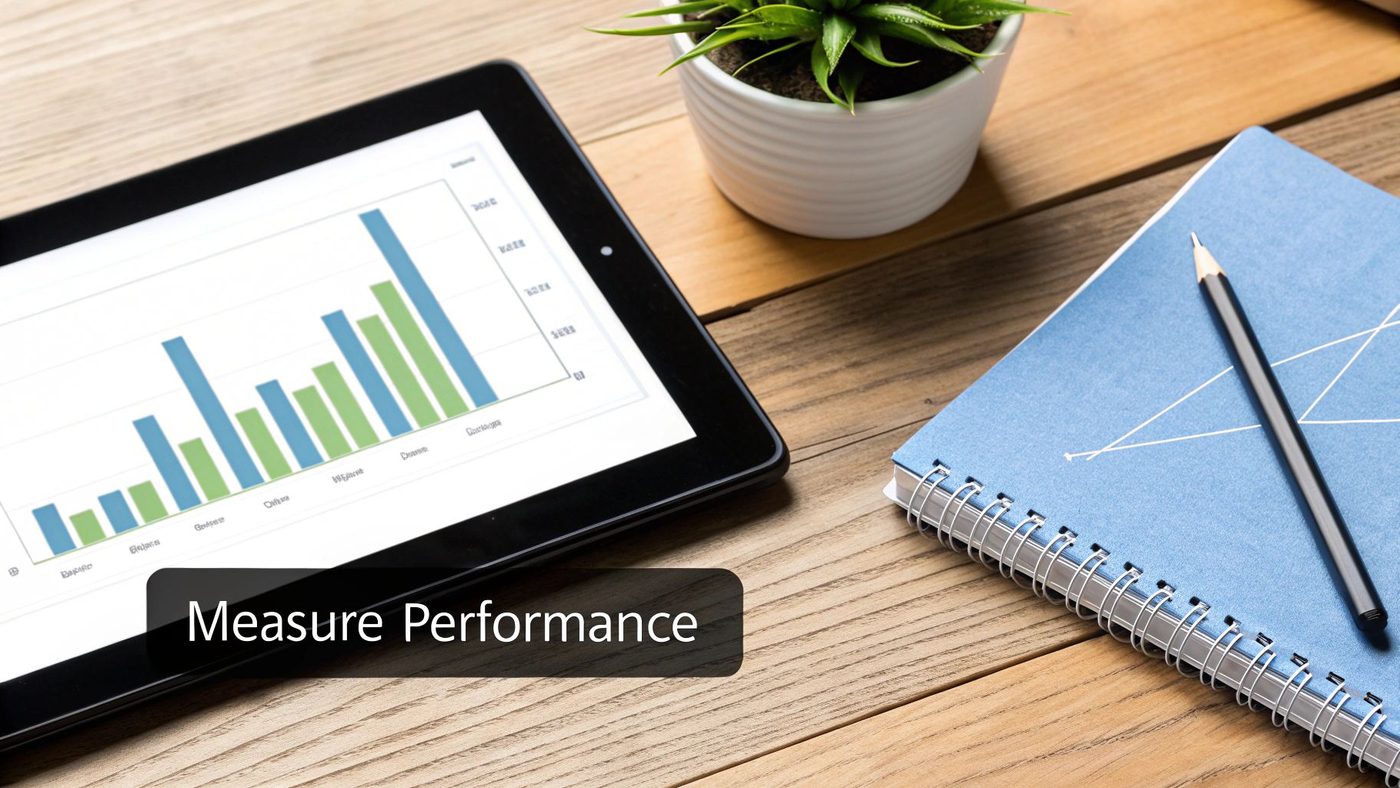
So, you’ve built your first marketing automation workflow. That’s a huge first step, but the real work starts now. How do you know if it's actually doing anything?
It's easy to get caught up in vanity metrics like open rates and click-throughs. While those are nice to see, they don't tell you the whole story. They don't tell you if your automated emails are actually making you money or creating loyal customers.
To truly understand performance, you have to connect each workflow directly to revenue and customer behavior. Are your welcome emails turning window shoppers into first-time buyers? Are your abandoned cart reminders actually saving sales? That’s where the right metrics come in.
Key Metrics That Truly Matter
Forget the fluff. To get a real pulse on how your workflows are performing, you need to focus on a few key performance indicators (KPIs) that tie directly to your bottom line.
- Conversion Rate per Workflow: This is your north star. It measures the percentage of people who entered a workflow and actually did the thing you wanted them to do—like make a purchase. A high conversion rate is a clear sign your message and timing are hitting the mark.
- Revenue per Recipient (RPR): This one is simple but powerful. It calculates the average amount of revenue generated by each person who receives your automated emails. RPR lets you compare the financial punch of different workflows, helping you see if your welcome series is outperforming your win-back campaign, for instance.
- Impact on Customer Lifetime Value (CLV): This is the long game. By tracking the CLV of customers who have experienced specific workflows, you can see how your automation efforts are building loyalty and encouraging repeat business over time.
Most automation platforms, like Klaviyo or Omnisend, give you a dashboard to track these figures. Make it a habit to check in regularly. You'll quickly spot your star performers and identify which workflows need a little TLC.
Proving Your Return On Investment
Tracking these metrics isn’t just for tweaking your strategy; it’s about proving your investment in automation is worthwhile. And the data shows it usually is. Companies using automation often report generating 80% more leads and seeing a 77% increase in conversion rates.
This isn't just about efficiency—it's about real financial returns. Research suggests businesses can see a return of $5.44 for every dollar spent on automation over a three-year period, driven by lower marketing costs and more productive sales efforts.
If you want to dig deeper, you can discover more marketing automation statistics and insights to see the broader impact. By focusing on the right KPIs, you can confidently show the value of every single workflow you create.
Frequently asked questions
- Which Platform Is Best For A Shopify Beginner?
- If you're just starting out with a Shopify store, the last thing you need is a complicated tool with a massive learning curve. The best platform is one that connects seamlessly and lets you build effective workflows quickly. Here are a few great options to get you started: Shopify Email: This is the most direct route. It's built right into your Shopify admin, it's free, and it lets you create essential automations like a welcome series or a post-purchase follow-up. It’s the perfect training ground. Klaviyo: There's a reason Klaviyo is a top choice for growing stores. Its connection with Shopify is incredibly powerful, letting you get super specific with your workflows based on exactly what a customer does—from sophisticated abandoned cart sequences to even using predictive analytics. Mailchimp: A rock-solid contender, Mailchimp hits that sweet spot between a user-friendly interface and powerful automation features. It’s a great middle-ground if you need more than Shopify Email but aren't quite ready for the full depth of a platform like Klaviyo. My advice? Start with Shopify's own tools. Once you’ve mastered them and feel like you're hitting their limits, you'll be ready to graduate to something more advanced.
- How Many Emails Should A Workflow Have?
- Ah, the million-dollar question. While there's no single magic number, there are definitely proven formulas for the most common workflows. The goal is always to be helpful, not annoying. For a Welcome Series, a sequence of 3-5 emails over the first week usually works wonders. The first email should hit their inbox instantly, delivering any discount you promised. The next few can introduce your brand story, show off your best-sellers, and build trust with customer reviews. For an Abandoned Cart workflow, a series of 2-3 emails is the sweet spot. First Email: Send it within 1 hour. This is just a gentle, "Hey, did you forget something?" reminder. Second Email: Follow up after 24 hours. You can add a little urgency here or share a few testimonials related to the item. Final Email: Send this around 48-72 hours later. This is your last shot, so consider adding a small incentive like free shipping to get them over the line. Remember to test these timings and see what your own audience responds to best.
- Can Automation Feel Too Robotic?
- It's a great question, and a real risk if done poorly. But great marketing automation does the exact opposite—it lets you create personalized experiences at a scale that would be impossible for any human to handle manually. The goal isn't to sound like a machine; it's to use technology to make thousands of customers feel like they're having a one-on-one conversation with you. The secret is using your customer data to make every single message feel relevant. Instead of a generic email blast, a well-designed automation can greet a customer by name, mention the specific product they were looking at, and arrive at the exact moment their action triggered it. That doesn't feel robotic; it feels attentive and helpful.
- What Is The Biggest Mistake To Avoid?
- The single biggest mistake I see new store owners make is trying to build something way too complex right away. It's easy to get excited and map out a massive, multi-step workflow with dozens of "if/then" branches, but that usually ends in a broken, unmanageable mess. Start simple. Seriously. Pick one high-impact workflow, like the abandoned cart series, and focus on absolutely nailing it. Get the trigger right, perfect the timing of your delays, and write clear, compelling copy for just that one sequence. Once it's humming along and you can see the revenue it’s bringing in, you can build on it or start your next project, like a welcome series. Mastering the basics first gives you the foundation and confidence to tackle the more advanced stuff later. Ready to stop worrying about the details and launch powerful, revenue-driving email workflows in seconds? Email Wiz uses AI to set up your entire email marketing channel with a single click. From welcome series to abandoned cart recovery, get best-practice automations, on-brand designs, and persuasive copy built for your Shopify store instantly. Start your free trial at Email Wiz and see the results for yourself!