
Bring back shoppers who only looked.
Most visitors look at a product and leave without adding it to the cart. Wiz follows up with browse abandonment emails that show them what they viewed, set up for you in about 30 seconds and designed in your brand.
Free up to 500 active contacts · 7-day free trial on paid plans
A follow-up for every product someone viewed
The flow starts when a subscriber or customer your store can recognise views a product and leaves without adding it to the cart or starting checkout. They showed interest but weren't ready, so a timely reminder often brings them back. A browse abandonment flow is usually 2 to 3 emails long.
- Remind shoppers of the product or products they viewed, added to the email automatically.
- Suggest related products alongside them, in case something else fits better.
- Bring them back to the product page to take the next step.
- Step aside when they move on to the cart or checkout, where the abandoned cart flow takes over.
Every email's content, design and timing can be edited, or left exactly as Wiz set it up.
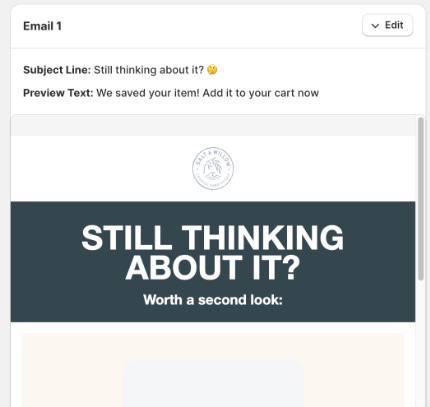
Browse abandonment vs abandoned cart
Browse abandonment emails go to shoppers who viewed a product but didn't add it to the cart or start checkout. Abandoned cart and checkout emails go to shoppers who got further. Wiz runs both, and limits how often one person can get browse emails, so nobody gets a reminder for every page they open.
How it works
- Install Wiz from the Shopify App Store. Browse abandonment is one of the core flows Wiz sets up in about 30 seconds.
- Review the emails. Edit the content, design or timing if you want.
- Switch it on. Wiz follows up on product views and stops when the shopper checks out or orders.
Included in every plan, including Pro, which is free up to 500 active contacts. See pricing.
Browse abandonment: questions merchants ask
Learn more
Follow up on every product view.
Free up to 500 active contacts. Set up in about 30 seconds.
Start free trial