E Commerce Marketing Automation The Ultimate Guide for Shopify Stores
Discover how e commerce marketing automation can drive explosive growth for your store with proven strategies, essential workflows, and practical examples.

Think of e-commerce marketing automation as your store's secret weapon. It’s not about spamming customers with generic, soulless emails. Instead, it’s about using smart software to send the right message at the right time, triggered by something a customer actually does—like leaving an item in their cart or signing up for your newsletter.
Your Store's 24/7 Autopilot for Growth
Let's be real. Can you imagine personally emailing every single person who adds a product to their cart but doesn't check out? Or trying to send a personalized welcome discount to every new subscriber the second they join your list? It's impossible for a growing Shopify store. The sheer volume of these small but crucial interactions would bury any marketing team.
This is exactly where e-commerce marketing automation steps in. Think of it as a tireless digital assistant working for your store around the clock, nurturing customer relationships and recovering sales while you sleep. You stop just reacting to what customers do and start proactively guiding them through their journey with you.
From Manual Grind to Automated Impact
At its core, automation is a simple concept: it connects a customer's action (a "trigger") to a marketing response you've already set up. This "if-then" system lets you create incredibly relevant experiences for thousands of customers at once, something that would be completely out of reach manually.
So, what does this actually do for your store?
- Boosts Your Revenue: You can automatically chase down abandoned carts, greet new shoppers with compelling offers, and re-engage customers who haven't shopped in a while. Each of these directly adds to your bottom line.
- Frees Up Your Time: Imagine all the hours spent on repetitive tasks. Automation handles them, letting you and your team focus on bigger things like strategy, new products, and creative campaigns.
- Creates Happier Customers: Sending timely, relevant messages makes shoppers feel seen and understood. This isn't just good service; it's how you build real, long-term brand loyalty.
E-commerce marketing automation isn't just another tool. It’s a complete shift in how you talk to your customers. It gives a small team the power to create the kind of personalized experiences that were once only possible for massive brands, making sure no sales opportunity slips through the cracks.
The numbers don't lie. The global marketing automation market was valued at a massive $6.65 billion in 2024 and is expected to soar to $15.58 billion by 2030. Better yet, businesses that get on board see an average revenue bump of 34%. For 63% of marketers, email is the automation channel that delivers the biggest punch.
To give you a quick snapshot, here’s how these benefits stack up.
Core Benefits of Marketing Automation at a Glance
| Benefit Area | Key Impact for Your Shopify Store |
|---|---|
| Revenue Generation | Directly recover lost sales from abandoned carts and win back lapsed customers. |
| Operational Efficiency | Automate repetitive communication, freeing up your team for high-value strategic work. |
| Customer Experience | Deliver timely, personalized messages that build stronger relationships and increase loyalty. |
| Scalability | Maintain a personal touch with every customer, even as your business grows exponentially. |
As you can see, the impact goes far beyond just saving time.
Ultimately, getting your automation strategy right is crucial for long-term, sustainable growth. And while you're focused on marketing, it's always smart to keep an eye on the bigger picture and explore various e-commerce solutions that can support your store's backend operations. Automation is what helps your shop evolve from a manual, labor-heavy business into a smart, scalable system built for the future.
The 5 Automated Workflows Every Shopify Store Needs
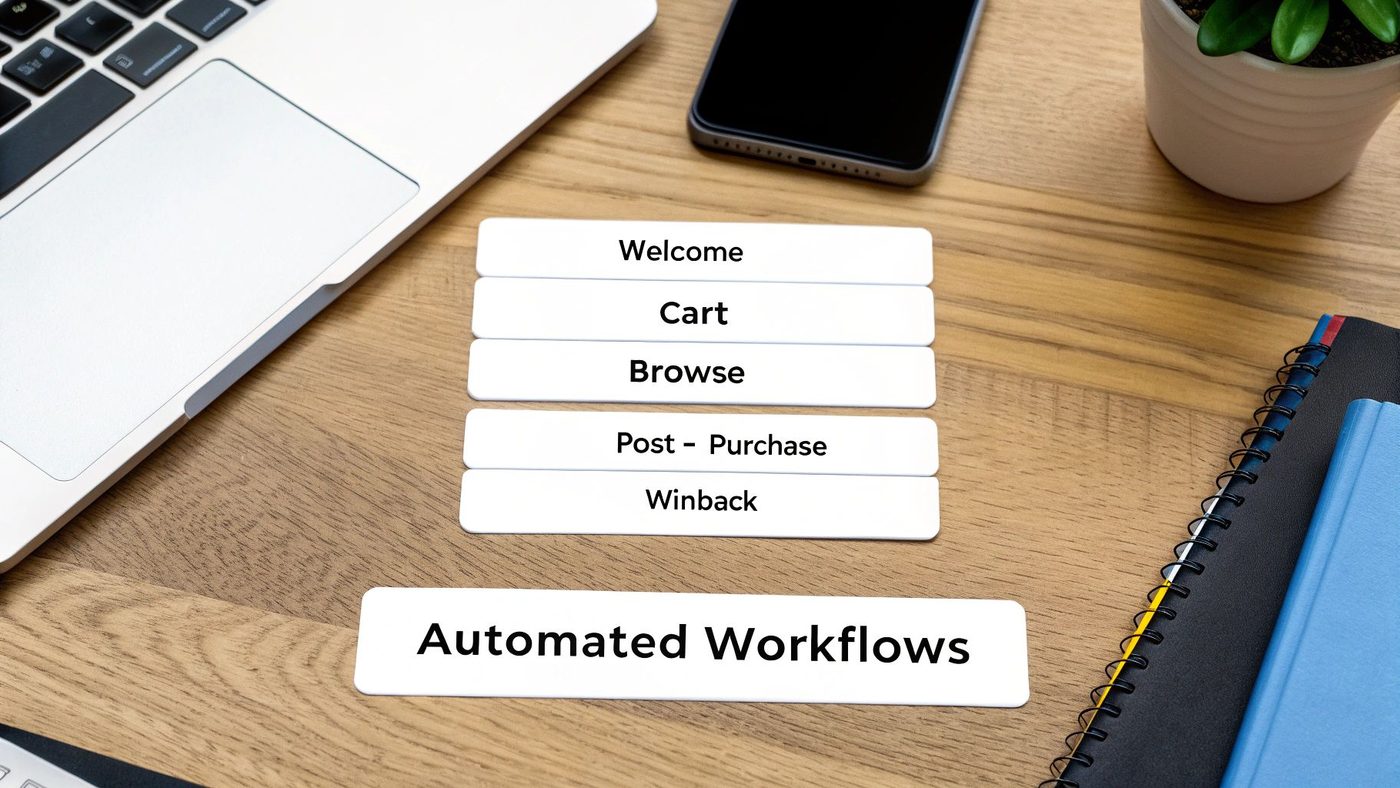
While you can automate almost anything in e-commerce marketing, a few key workflows do most of the heavy lifting. These are the absolute must-haves that turn customer actions into reliable revenue, working around the clock to talk to your shoppers at just the right moment.
Think of these flows as your store’s automatic sales team. Instead of blasting out random campaigns and hoping something sticks, you're starting smart, triggered conversations based on what a customer actually does. The results are staggering. For many brands, these automated emails can drive up to 75% of all email revenue, even though they make up a tiny fraction of the total emails sent. You can see more data on this over at emailvendorselection.com.
Let's dive into the five most important automated flows that your Shopify store should have running, starting today.
1. The Welcome Series
The moment someone new signs up for your list is pure gold. It's your one chance to make a killer first impression, and the welcome series is how you do it. This isn't just one email; it's an automated introduction to your brand, your story, and your best products.
- The Trigger: A visitor subscribes to your email list or creates a store account.
- The Goal: Make them feel welcome, introduce them to what makes your brand special, and guide them toward that crucial first purchase.
- What to Include: A sequence of 3-5 emails works best. The first one should arrive instantly with their promised discount. Follow-up emails can showcase your top-sellers, share your brand’s mission, and build trust with customer reviews.
2. The Cart Abandonment Flow
This is the undisputed king of e-commerce automation for a reason: it prints money. A shopper liked your stuff enough to add it to their cart but got sidetracked. This workflow is your safety net, automatically reminding them about the awesome products they left behind.
Cart abandonment is almost always the first flow a store sets up because the ROI is so immediate and obvious.
- The Trigger: A customer adds items to their cart but leaves your site without buying.
- The Goal: Recover what would have been a lost sale. You’re just giving them a gentle nudge to cross the finish line.
- What to Include: Send the first email about an hour after they leave—a simple, helpful reminder is perfect. A day later, a second email can create a little urgency. A third can handle common objections by highlighting your shipping or return policies.
A well-tuned cart abandonment series is the fastest way to see a financial return on your automation efforts. For many Shopify stores, recovering even a few percent of these carts adds up to thousands of dollars in extra revenue every single month.
3. The Browse Abandonment Flow
This one is a bit more subtle but incredibly powerful. It targets shoppers who showed clear interest—they looked at a specific product page, maybe more than once—but never added anything to their cart. This flow keeps your brand top-of-mind with people who are on the fence.
Think of it as the digital equivalent of a helpful store associate asking, "Find everything you were looking for?"
- The Trigger: A known subscriber on your list views a product page but doesn't add it to their cart before leaving.
- The Goal: Re-engage their interest by putting that specific product back in front of them and maybe suggesting a few related items.
- What to Include: Keep this sequence short, usually just one or two emails. The first can be as simple as, "Still thinking it over?" and show the exact product they viewed. A follow-up could feature positive reviews for that item or showcase similar best-sellers.
4. The Post-Purchase Series
The sale is just the beginning of the relationship. The post-purchase period is your chance to turn a one-time buyer into a loyal, repeat customer. A great experience here reassures them they made the right choice and opens the door for their next order.
This is all about retention, which is always cheaper and more profitable than acquiring a brand-new customer.
- The Trigger: A customer successfully completes a purchase.
- The Goal: Thank them, eliminate any buyer's remorse, get valuable feedback, and encourage them to shop with you again.
- What to Include: An immediate order confirmation is a must. Follow that with shipping updates. A week or two after the product arrives, send an email asking for a review. You can also send helpful content about their new item or even include a special discount for their next purchase.
5. The Customer Winback Flow
It's natural for some customers to go quiet over time. A winback series is your proactive plan to re-engage these lapsed customers before they're gone for good. It’s far easier to bring an old customer back than to find a new one.
- The Trigger: A customer hasn't purchased from you in a set amount of time (e.g., 90 or 180 days).
- The Goal: Remind them why they loved your brand in the first place and give them an irresistible reason to come back.
- What to Include: Start with a friendly, low-pressure "We miss you" email. If that doesn't get a response, follow up with a strong offer—a significant discount or an exclusive deal. The goal is to make them feel special and give them a clear incentive to shop again.
Putting these five sequences in place is the foundation of any solid automation strategy. For a deeper look, check out our complete guide on the 5 automated email flows that will skyrocket your Shopify sales.
How to Launch Your First Automation Strategy
Diving into marketing automation can feel a bit like staring at a giant, complicated switchboard. But here’s the secret: you don't need to be a technical genius to get started. The trick is to begin small, nail one high-impact goal, and build your confidence from there.
This roadmap is built for busy Shopify store owners, not coders. Our only mission is to get your first money-making workflow up and running as fast as possible, taking all the guesswork out of the equation.
Start with a Single Clear Goal
The number one mistake I see merchants make is trying to automate everything at once. Don't do it. Instead, pick one specific, high-value problem you want to solve. For 99% of Shopify stores, that problem is abandoned carts.
Your first move should always be launching a cart abandonment flow.
Why? It’s the lowest-hanging fruit. These shoppers were literally seconds away from giving you their money. Winning back even a small fraction of them gives you an immediate, tangible return on your time. Forget about complex winback campaigns for now—just focus on this one critical win.
Choose the Right Automation Tool
Think of your automation platform as the engine for your marketing. For anyone on Shopify, the most important feature is a dead-simple, seamless integration. A tool that plugs right into your store’s data will make your life a thousand times easier.
Here's what to look for:
- One-Click Shopify Integration: The platform should sync your products, customers, and order history automatically, no custom code required.
- Pre-Built Workflow Templates: Why start from scratch? A good tool will have proven templates for core flows like cart abandonment and welcome emails ready to go.
- An Intuitive Visual Builder: You should be able to see, edit, and understand your automation sequences at a glance, without calling in a developer.
This is exactly why platforms like Email Wiz were created. It’s designed to set up your entire email channel in seconds by connecting directly to your Shopify data, sidestepping the steep learning curve that comes with more generic, all-in-one tools.
Understand Your Core Building Blocks
Every single automation, no matter how complex, is made from the same few simple parts. Once you get these, you’ve unlocked the whole game.
It’s just like playing with LEGOs. You only need a few basic bricks to build something incredible.
- Triggers: This is the event that kicks everything off. Think of it as the "if" in an "if-this-then-that" command. For a cart abandonment flow, the trigger is simple: someone adds a product to their cart but doesn't finish checking out.
- Time Delays: This is the pause between steps. You definitely don’t want to bombard a customer the second they click away. A one-hour delay is a perfect starting point, giving them a chance to come back on their own first.
- Actions: This is the thing you do—in our case, sending an email. The first action in our flow is a gentle reminder. It could be a simple, "Did you forget something?" message that shows them exactly what they left behind.
By combining a trigger (cart abandoned), a time delay (wait 1 hour), and an action (send a reminder email), you've just built a powerful machine that generates revenue for you 24/7. This simple recipe is the foundation of everything.
Map and Launch Your First Flow
Alright, let's put it all together. The fastest way to get this live is by using a pre-built cart abandonment template in your chosen tool. Most platforms have a proven, three-email sequence ready for you to customize.
A standard cart recovery flow looks something like this:
- Email 1 (1 hour after abandonment): A friendly, low-pressure reminder. The tone should be helpful, not pushy.
- Email 2 (24 hours later): Time to introduce a little urgency. A subject line like, "Your items are waiting!" or "Your cart is about to expire" works great here.
- Email 3 (48 hours later): This is the final nudge, often with a small incentive like 10% off to close the deal.
Once you’ve tweaked the template to match your brand’s voice, you just hit "activate." That’s it. You’ve officially launched an e-commerce automation that will start recovering sales for you while you sleep. For a more detailed walkthrough, check out our guide on how to build your first marketing automation workflow.
Unlocking Higher Revenue with Smart Segmentation
Once you have your core automated flows dialed in, smart segmentation is where you graduate from just talking at your customers to talking with them. Think about it this way: sending the same email to your entire list is like shouting into a crowded room, hoping the right people hear you. Segmentation is pulling small groups aside for a meaningful, one-on-one conversation.
Instead of a one-size-fits-all message, you group customers into meaningful "buckets" based on who they are and what they've done. This lets your e-commerce marketing automation system send incredibly relevant content, turning generic blasts into powerful, personal experiences. This isn't just a nice-to-have feature; it’s how you squeeze every last drop of revenue out of your email list.
Why Generic Marketing Fails
It just doesn't make sense to send the exact same offer to a brand-new subscriber and a loyal VIP customer. The newbie needs an introduction, a welcome. The VIP deserves a reward for their loyalty. A generic message speaks to neither of them effectively, leading to weak engagement and, frankly, lost sales.
By not segmenting, you're leaving money on the table. It's that simple. Today's shoppers expect personalization. If you don't provide it, your brand feels out of touch, pushing them toward competitors who actually seem to get them.
Common High-Impact Customer Segments
Getting started with segmentation isn't nearly as complex as it sounds. You can generate a massive return just by focusing on a few key groups defined by their buying habits. These foundational segments pave the way for more sophisticated strategies later on.
Here are a few essential segments every Shopify store should build:
- VIP Customers: These are your best customers, the top spenders. You might define them by total lifetime value (e.g., spent over $500) or by how often they buy (e.g., made 5+ orders). Keeping this group happy with exclusive perks is the secret to long-term growth.
- First-Time Buyers: This bucket holds everyone who has made exactly one purchase. Your mission here is critical: turn them into a repeat customer with a targeted, welcoming post-purchase series.
- Potential Churn Risks: These are customers who used to buy from you but have gone quiet (e.g., no purchase in 90 days). A proactive winback campaign can pull them back in before they're gone for good.
- High AOV Shoppers: This group consistently spends more than your average customer. You can send them offers for bundles or suggest premium products to nudge that average spend even higher.
The real power of segmentation is making customers feel seen. When a VIP gets an exclusive early-access offer or a one-time buyer receives a special 'welcome back' discount, your marketing stops feeling like an advertisement and starts feeling like a relationship.
The data screams this from the rooftops. While a typical e-commerce email blast might get an 18–22% open rate, segmented and automated campaigns blow that out of the water. One study found a jaw-dropping 405× increase in conversions when shoppers received emails based on their real-time behavior. In the same vein, segmented campaigns can lift click-through rates by up to 28% compared to generic sends.
Putting Segmentation into Action
Once you’ve defined your segments, you set up automated rules to deliver the right content to the right people. Your marketing automation platform does all the heavy lifting, automatically shifting customers into different buckets based on their actions.
Here’s what that looks like in practice:
- Exclusive Offer for VIPs: You can create an automated flow that triggers the moment a customer qualifies for your "VIP" segment. The email could offer them early access to a new collection or a unique discount code just to say thanks.
- Encouraging the Second Purchase: Target your "First-Time Buyers" segment with an email sequence that kicks off 30 days after their first order. This flow can offer a compelling 15% discount on their next purchase and showcase related products to get that all-important second sale.
- Targeting by Product Interest: Segment customers based on the product category they last bought from. If someone purchased skincare, you can automatically send them tips on building a routine or let them know when new serums drop.
By building these simple yet powerful segments, you create a marketing engine that is far more dynamic and responsive. Every message is more likely to make an impact because it’s tailored to where that person is on their journey with your brand. For a complete walkthrough on this topic, check out our guide on how to segment your email list to drive growth.
Measuring Success and Optimizing Your Automated Flows
Getting your automated flows up and running is a huge milestone, but it's not the finish line. The real money in e-commerce marketing automation is made in the fine-tuning. Think of your flows less like a "set it and forget it" machine and more like a high-performance engine that needs regular check-ups to run at its peak.
This is all about a continuous loop of measuring what works, cutting what doesn't, and making small, smart adjustments that can lead to massive gains over time. It means looking past the easy-to-track numbers and focusing on what actually moves the needle for your business.
Moving Beyond Vanity Metrics
It's tempting to get excited about a high open rate, but let's be honest—opens don't pay the bills. We call these "vanity metrics" for a reason: they look great on a dashboard but don't tell you much about your store's health. To truly optimize your automations, you need to zero in on actionable KPIs that tie directly back to your revenue.
The goal isn't just to get more people to open your emails; it's to get more of the right people to take a specific, revenue-generating action. That's the difference between being busy and being profitable.
So, where should you really be putting your focus? Let's clear up the confusion.
We've put together a quick table to help you distinguish between the metrics that feel good and the ones that actually drive growth.
Tracking What Matters: Vanity Metrics vs. Actionable Automation KPIs
| Metric Type | Example | Why It's Actionable (or Not) |
|---|---|---|
| Vanity Metric | Open Rate | A terrible open rate is a clear sign your subject line is failing, but a great one doesn't mean you're making sales. It’s a starting point, not the end goal. |
| Actionable KPI | Conversion Rate | This is the good stuff. It shows the exact percentage of people who got your email and then completed the desired action, like finishing their purchase. It’s a direct measure of an email's persuasive power. |
| Vanity Metric | Unsubscribe Rate | While a spike in unsubscribes is a major red flag, a low rate doesn’t mean people love your content. Many just ignore emails instead of bothering to opt out. |
| Actionable KPI | Revenue Per Recipient (RPR) | This is the ultimate bottom-line metric. It calculates exactly how much money, on average, each person entering a flow generates. It cuts through the noise and tells you, "This automation is worth X dollars to my business." |
By keeping a close eye on metrics like Conversion Rate and RPR for every single flow—from your welcome series to your winback campaigns—you get a crystal-clear picture of your financial return. This data is gold because it tells you exactly where to focus your time and energy for the biggest impact.
The Power of A/B Testing
Once you know which numbers matter, the most effective way to improve them is through consistent A/B testing. It sounds complicated, but the idea is dead simple. You create two versions of an email (A and B) that are identical except for one single change, send them to two different groups of people, and see which one wins.
You'd be shocked at how much small changes can compound into big results. Here are the three most powerful things to test in your automated emails:
- Subject Lines: This is your digital handshake. It’s your one shot to stand out in a crowded inbox. Try testing different tones—a direct question (“Did you forget something?”), a clear offer (“Your 10% off is inside”), or a bit of urgency (“Your cart expires soon!”).
- The Offer: The incentive is everything, especially in cart abandonment and winback flows. Does a 15% discount pull in more sales than a flat $10 coupon? Is free shipping a bigger draw than a percentage off? You won't know until you test it.
- Timing and Cadence: When you send an email can be just as important as what you send. Test sending that first abandoned cart reminder one hour after they leave, versus three hours. Or see if a punchy two-email welcome series converts better than a longer, four-part sequence.
By methodically testing these elements, you stop guessing what your customers want and start knowing what they actually respond to. Every test, win or lose, gives you valuable insight that helps you continuously sharpen your e-commerce marketing automation strategy and make it more profitable month after month.
Finding the Right Ecommerce Automation Tools
Ready to launch powerful e-commerce marketing automation without the headache? ecommerce automation tools Wiz sets up your entire Shopify email channel in about 30 seconds. Get pre-built flows, AI-powered copywriting, and on-brand designs instantly. Join 10,000+ brands and start recovering sales today at https://emailwiz.ai.
Frequently asked questions
- How Much Is This Going to Cost Me?
- The price tag for automation tools can swing wildly, from free plans for tiny email lists to thousands per month for massive enterprise platforms. The good news? For most Shopify stores, modern apps offer really affordable, scalable pricing that's tied to your number of contacts. But here’s the most important thing to remember: focus on the return on investment (ROI). A solid automation setup should easily pay for itself by bringing back lost sales and keeping customers engaged. You want to find a tool with clear, transparent pricing that grows with your business, not one that gets ahead of it.
- Will This Make My Brand Feel Robotic?
- This is probably the biggest fear we hear, and it's a valid one. But great automation actually does the exact opposite. Think about it: instead of sending a generic blast to everyone, you’re sending messages based on what a customer actually does—like looking at a certain product or signing up for your list. This makes your communication feel way more personal and relevant. Effective automation feels less like a broadcast and more like a helpful, one-to-one conversation. It enhances the customer experience by providing value at the right moment, rather than making your brand feel impersonal or distant.
- How Long Until I Start Seeing Results?
- This all comes down to the tool you pick. Some of the big, all-in-one marketing platforms can feel like a science project, taking weeks to configure and learn. On the flip side, newer solutions built specifically for Shopify can get your most important, money-making workflows up and running in a matter of minutes. And you can see the impact almost right away. As soon as your cart abandonment and welcome emails are live, they're working for you 24/7. Many store owners see recovered sales and new customer conversions within the first 24 to 48 hours of flipping the switch.
- What's the One Automation I Should Set Up First?
- If you do nothing else, set up a cart abandonment flow. Hands down, this is the highest-impact automation for almost any e-commerce store. It goes after shoppers who were this close to buying and works to recover revenue you would have otherwise lost forever. It provides an immediate and super-easy-to-measure boost to your bottom line. A very close second is the welcome series. It’s your one shot at making a killer first impression and is absolutely essential for turning curious new subscribers into loyal, paying customers. Starting with these two gives you the biggest wins right out of the gate.