Discover the shopify email marketing app: A Buyer's Guide
- Guy Williams

- Dec 31, 2025
- 14 min read
Updated: May 7
Trying to shoehorn a generic email tool into your Shopify store is a recipe for headaches and lost sales. I've seen it time and again. A dedicated Shopify email marketing app isn't just a nice-to-have; it's a fundamental part of a profitable store, designed to sync perfectly with your products, customers, and checkout.
Why Generic Email Tools Just Don't Cut It for Shopify
If you've ever found yourself manually exporting customer lists or wrestling with broken product feeds to connect a non-Shopify email platform, you already know the pain. It’s a clunky, disjointed mess. This disconnect isn't just annoying—it actively costs you money by making timely, relevant emails nearly impossible to send.
Proper Shopify email marketing apps cuts through all that noise. It’s built from the ground up to speak Shopify’s language, giving you a single, powerful system.
The Magic of Native Integration
True, native integration means the app plugs directly into your store's data—the good stuff. This is what unlocks the kind of powerful automation that generic tools can only dream of.
Smart Product Recommendations: You can automatically suggest items based on what a customer has bought or even just looked at. No more guesswork.
Abandoned Cart Recovery: The moment a shopper leaves, an email goes out with pictures of the exact products they left behind. This is incredibly effective.
Effortless Customer Segmentation: Want to email your VIPs, first-time buyers, or customers who haven't bought in 90 days? You can build those lists in seconds.
This deep connection is what transforms your email list from a simple megaphone into an intelligent sales engine. It lets you stop messing with spreadsheets and start thinking about strategy.
The real value here is letting the app use your store’s data to create personal, timely, and automated experiences. It’s how you make sales while you sleep.
Unlocking an Incredible Return on Investment
Let's talk numbers, because they're staggering. A solid email strategy is still one of the most profitable things a Shopify merchant can do, delivering an average ROI of 42:1. Think about that: for every dollar you put in, you get $42 back.
And it gets better. Shoppers who click through from an email spend 128% more than other customers, turning casual browsers into your best buyers.
These aren't just fantasy numbers; they're driven by reliable automations like welcome series and back-in-stock alerts. But there's a catch. None of this matters if your emails land in the spam folder. To get that kind of ROI, you have to nail your delivery. Understanding how Shopify merchants can improve email deliverability is non-negotiable, and a tightly integrated app is your best defense for keeping your sender reputation clean.
Picking the Right Tool: What Features Actually Matter?
The Shopify App Store is packed with thousands of email marketing apps, and they all promise the world. It’s easy to get lost in feature lists and marketing jargon. Here’s the secret: the best app isn't the one with the most bells and whistles. It's the one with the right tools for your store, right now.
Let's cut through the noise and figure out what you actually need.

Before we get into specifics, there's one non-negotiable: a deep, native integration with Shopify. This is the bedrock of effective email marketing. It means the app automatically syncs with your product catalog, customer data, and order history without you lifting a finger.
Think about it. You want your pop-up forms to instantly add new subscribers to your list. You need your abandoned cart emails to automatically pull in the exact products someone left behind. Without that seamless connection, you’re just using a generic email tool and creating a ton of manual work for yourself.
The Feature Checklist: Must-Haves vs. Nice-to-Haves
To make choosing a little easier, I've broken down the essential features every store needs versus the more advanced tools that are great for scaling. Use this checklist to see how different apps stack up.
Shopify Email Marketing App Feature Checklist
This breakdown helps you decide what's critical for your store today versus what you might need as you grow.
Feature Category | Must-Have for All Stores | Advanced (for Scaling & Automation) |
|---|---|---|
Email Creation | Intuitive drag-and-drop editor | AI-powered copywriting and design suggestions |
Automation | Pre-built flows (welcome, abandoned cart, etc.) | Custom automation builder with complex triggers |
Segmentation | Basic filters (purchase history, sign-up date) | Predictive segmentation (likely to churn, VIPs) |
Forms & Pop-ups | Simple pop-up and embedded form builders | A/B testing for forms, multi-step forms |
Analytics | Revenue tracking per email, conversion rates | Customer lifetime value (CLV) tracking, cohort analysis |
Integrations | Deep, native Shopify integration | Connections to loyalty, review, and subscription apps |
Start by ensuring your top contenders nail everything in the "Must-Have" column. Those are the features that will drive revenue from day one. The "Advanced" column is where you can differentiate based on your long-term goals.
Why a Solid App Is No Longer Optional
The Shopify App Store has exploded for a reason. The number of available apps shot up from 5,649 in 2021 to a staggering 11,905 by the end of 2024. That’s because an incredible 87% of merchants now rely on specialized apps to run their businesses effectively.
This isn't just about convenience; it's about survival. Developers have earned over $1.5 billion building these tools because merchants know a powerful, integrated app is a competitive advantage.
The best apps handle the tedious, technical work so you can focus on strategy. If the setup feels like a huge project, it's the wrong tool for you.
Thinking Ahead: Features for Growth
Once you have the fundamentals locked down, you can start looking for features that will help you work smarter as you scale. This is where things get exciting.
AI-powered copywriting is a perfect example. Instead of agonizing over the perfect subject line, the app can generate high-converting options for you based on your brand and products. Predictive analytics is another game-changer, helping you spot customers who are about to churn so you can re-engage them with a targeted offer before they're gone for good.
It also helps to understand the broader market. Taking a peek at general marketing automation tools comparisons can give you context for what's possible. But remember, for a Shopify store, nothing beats an app that's built specifically for the platform. A great app grows with you, unlocking more powerful features as you need them.
Setting Up Automations That Actually Convert
This is where your Shopify email marketing app really starts working for you. Automations, also known as "flows," are simply pre-built email sequences that get sent automatically when a customer does something specific. Think of them as the engine of your email strategy, generating revenue 24/7 without you having to lift a finger.
Consider automations your most reliable salesperson—one who never sleeps and always knows the right thing to say. The magic is in the timing and relevance. Instead of a mass email blast, your customers get a message that's directly connected to an action they just took... or an action they didn't take.

We're going to focus on the four automations that every single Shopify store should have running from day one. These aren't just nice-to-haves; they are the core of a profitable email program.
The Welcome Series: Your Gateway to Sales
Your welcome series is your first and best shot at making a solid impression. Someone just gave you their email address, which is a big deal. You have to act on that moment of high engagement immediately. It’s no surprise that open rates for welcome emails can soar over 80%, making them the most-opened messages you’ll ever send.
But the goal here isn't just a friendly "hello." It's about turning a curious new subscriber into a first-time customer. A well-crafted welcome series usually looks something like this:
Email 1 (Immediate): Deliver the goods. Send that 10% off code you promised on the sign-up form. Use this email to also share a bit about your brand's story or what makes you different.
Email 2 (1 Day Later): Show them what's popular. Highlight your best-sellers or showcase a specific product category that solves a common problem for your audience.
Email 3 (3 Days Later): Build that trust. Use this email to share customer reviews, testimonials, or answer frequently asked questions to nudge any hesitant shoppers over the line.
The Abandoned Cart Flow: Your Revenue Rescuer
Did you know that nearly 70% of online shopping carts are abandoned? That’s a massive amount of potential income just sitting there. An automated abandoned cart flow is, without a doubt, the single most powerful tool for clawing back that lost revenue.
The trick is to use a short sequence of emails to gently remind them about the items they left behind. A proven structure that works time and again is:
Email 1 (Sent ~1 Hour After Abandonment): A simple, helpful reminder is all you need. "Did you forget something?" coupled with images of the items in their cart is often enough.
Email 2 (Sent 24 Hours Later): Introduce a little urgency. "Your items are selling out!" or a reminder of the benefits of the products can create the fear of missing out.
Email 3 (Sent 48-72 Hours Later): This is your final offer. If they still haven't purchased, a small, time-sensitive incentive like free shipping or 5% off can be just the push they need to complete the order.
For a deeper look, there are tons of effective strategies to reduce cart abandonment that can take your recovery emails to the next level.
The Post-Purchase and Winback Flows
Your job isn't done once the customer clicks "buy." The post-purchase window is a golden opportunity to foster loyalty and set up the next sale. A simple thank-you email is good, but a strategic post-purchase flow is way better. You can use it to share product care tips, ask for a review, or cross-sell items that complement their recent purchase.
Pro Tip: Don’t just thank them. Use the post-purchase email to teach them how to get the most out of their new product. This adds real value, builds trust, and helps prevent buyer's remorse.
Finally, there’s the winback flow. This automation targets customers who have gone quiet and haven't purchased in a while (think 90-180 days). The goal is to re-engage them with an exclusive "we miss you" offer or a simple reminder of what makes your brand great. After all, it's far cheaper to keep a customer than to find a new one.
If you want a more detailed walkthrough, we've put together a guide to help you build your first marketing automation workflow from scratch. Getting these four flows—welcome, abandoned cart, post-purchase, and winback—up and running creates a powerful system that drives growth on autopilot.
Moving Beyond Blasts With Smart Segmentation
If you're still sending the same email blast to your entire list, you're shouting into a crowded room. Most people will just tune you out. The real magic of a modern Shopify email marketing app isn't just sending emails—it's having thousands of quiet, personal conversations with your customers, all at once. The secret to this is smart segmentation.
Segmentation is just a fancy word for grouping your subscribers based on who they are and what they do. Instead of one giant, messy list, you create smaller, laser-focused lists. This simple shift ensures the right person gets the right message at the right time, which is how you dramatically boost engagement and, more importantly, sales.
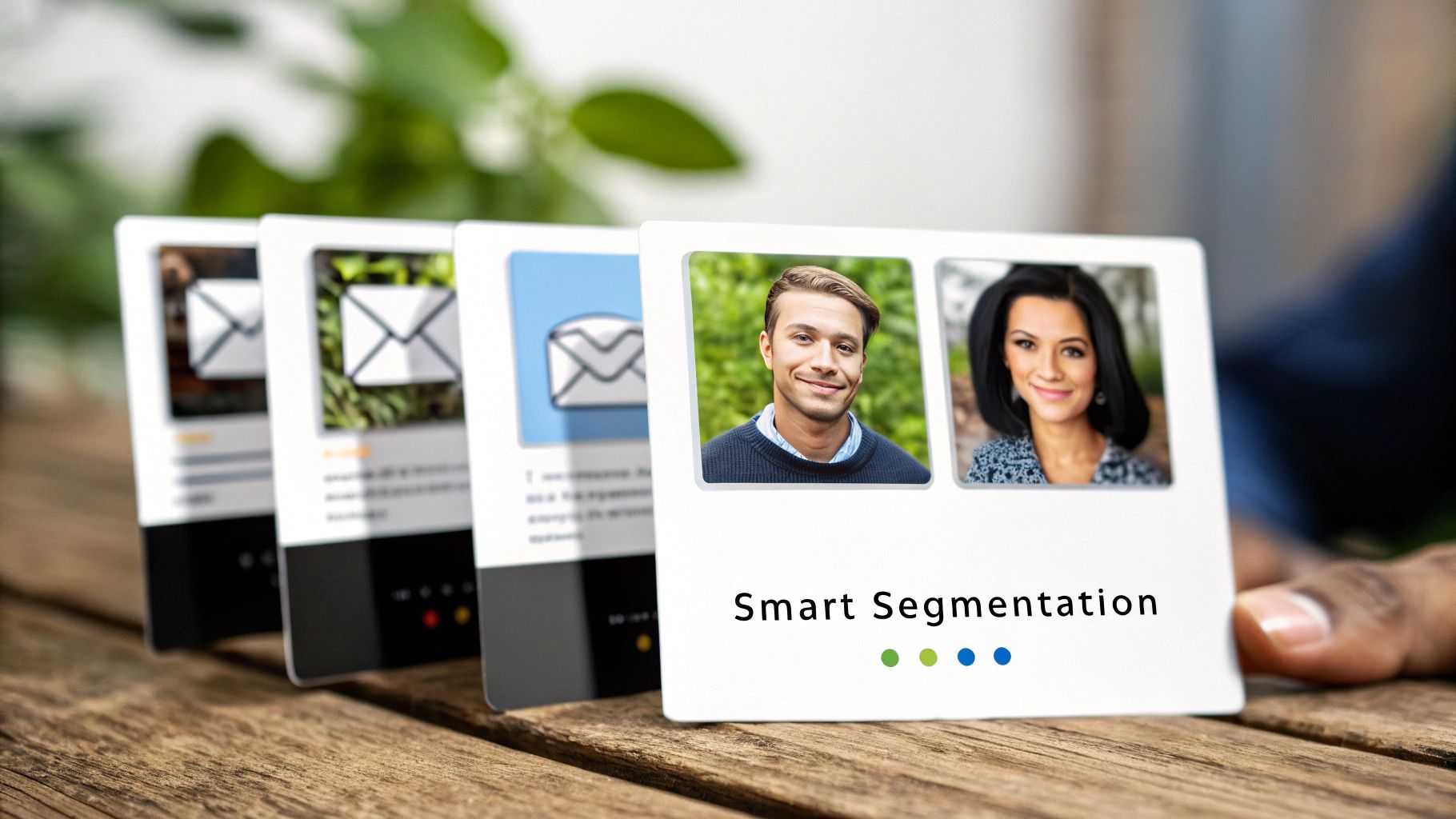
The best part? You don't need to be a data wizard to pull this off. A good app integrated with your Shopify store does all the heavy lifting for you, automatically sorting customers into these valuable little groups.
Create Segments That Drive Action
You can start making a real impact by segmenting your audience based on a few simple but incredibly powerful criteria. These segments are your key to tailoring messages, offers, and content in a way that feels like it was written just for them.
Here are a few of the most valuable places to start:
Purchase History: This is a goldmine of data. You can easily create separate groups for first-time buyers, repeat customers, and your high-spending VIPs. A first-time buyer could get a "thank you" email with an offer on a complementary product, while a VIP gets exclusive early access to a new collection.
Engagement Level: Let's be honest, not everyone on your list is a super-fan. Segmenting by engagement lets you reward your most active subscribers (those who open and click often) while running targeted "win-back" campaigns for those who have gone cold.
Browsing Behavior: Your Shopify app can see which products or collections a customer has viewed but not purchased. This is your cue to send a gentle follow-up email showcasing those specific items, maybe with a few customer reviews to give them that final nudge.
Smart segmentation turns your email marketing from a blunt instrument into a precision tool. It’s the difference between an email that gets instantly deleted and an email that gets a click.
Putting Segmentation Into Practice
Let’s make this real. Imagine you sell skincare products. Instead of sending a generic "New Products Are Here!" email to everyone, you could use segmentation to run these kinds of targeted campaigns:
For recent buyers of your Vitamin C serum: A week later, send them an email about the new moisturizer that’s formulated to pair perfectly with it. You already know what they like, so show them what's next.
For customers who haven't purchased in 90 days: Hit them with a "We Miss You" campaign that includes a special 15% off incentive. It’s a small nudge that can bring a lapsed customer back into the fold.
For shoppers who viewed your anti-aging line but didn't buy: Send them an educational email packed with testimonials and before-and-after photos specifically for that product line. You're not just selling; you're helping them solve a problem.
See how each message is far more relevant? That relevance is what makes it far more likely to convert. For more ideas to get you started, check out these 10 actionable customer segment examples to boost your Shopify sales.
Ultimately, the goal is to make every subscriber feel like you're speaking directly to them. A great app makes that effortless.
It’s easy to get lost in a sea of data. Your email app’s dashboard is probably overflowing with charts and numbers, all screaming for your attention. But if you want to know what’s actually working, you need to ignore the noise and focus on the handful of metrics that directly impact your bank account.
Getting bogged down in vanity metrics like open rates is a common trap. A great Shopify email app cuts through the clutter, translating your email activity into cold, hard cash. These aren’t just numbers; they’re the vital signs of your business.
The Metrics That Pay the Bills
Opens and clicks feel good, but they don't pay the bills. The real story is told by the numbers directly tied to your revenue.
Here’s what you should be obsessed with:
Conversion Rate: This is the big one. What percentage of people who received your email actually clicked through and bought something? This tells you if your message, offer, and timing all hit the mark.
Revenue Per Recipient (RPR): To cut through the noise, simply divide the total revenue from a campaign by the number of recipients. This gives you a crystal-clear answer to the question: "How much is each subscriber on this list worth for this send?"
Average Order Value (AOV) from Email: Are your email subscribers your best customers? Tracking AOV from email tells you if your campaigns are not only driving sales but also encouraging people to add more to their carts.
Total Revenue from Automations: This is your passive income engine. A good dashboard will show you exactly how much money your welcome series, abandoned cart reminders, and other flows are generating every single month, all on their own.
My Takeaway: Don't let open rates distract you. If you only have time to look at two things, make them Revenue Per Recipient and your total sales from automations. These are the true north stars for a growing ecommerce store.
What Does "Good" Actually Look Like?
Knowing the numbers is one thing; understanding if they're good is another. Here are a few industry benchmarks to give you some context.
For Shopify stores, email performance is a massive lever for growth. In 2023, the average inbox placement rate was 86%, with weekly open rates peaking around 48.31%. The average click-through rate in 2024 is hovering around 2.62%.
Where it gets really interesting is with automations. A solid welcome series can convert at 2.84%, while other automated flows see conversion rates between 1-6%. And with 79% of Shopify traffic coming from mobile devices, every single email has to look perfect on a small screen. If you want to dig deeper, you can explore more Shopify email marketing statistics.
Ultimately, a top-tier email marketing app for Shopify doesn't just show you email stats. It gives you a financial report card, showing you exactly how much value your email program is bringing to your store.
Essential Email Marketing KPIs for Shopify Stores
To succeed, you need to track the right Key Performance Indicators (KPIs). This table breaks down the most important metrics, explaining what they measure and why they are critical for measuring the true impact of your email efforts.
KPI (Key Performance Indicator) | What It Measures | Why It Matters for Your Store |
|---|---|---|
Open Rate | The percentage of recipients who opened your email. | A high open rate means your subject lines are compelling and your brand is recognized. It's the first hurdle to clear. |
Click-Through Rate (CTR) | The percentage of recipients who clicked a link in your email. | CTR shows that your email content and call-to-action were engaging enough to prompt action. |
Conversion Rate | The percentage of recipients who made a purchase after clicking. | This is a bottom-line metric. It directly ties your email campaign to actual sales and revenue. |
Revenue Per Recipient (RPR) | Total revenue from a campaign divided by the number of recipients. | RPR gives you the average monetary value of each person on your list for a specific campaign, helping you gauge profitability. |
Average Order Value (AOV) | The average dollar amount spent by customers who purchase via email. | A high AOV from email indicates that your campaigns are successfully encouraging larger, more valuable purchases. |
List Growth Rate | The rate at which new subscribers are joining your email list. | A healthy growth rate ensures you have a steady stream of new leads to nurture and convert into customers. |
Unsubscribe Rate | The percentage of recipients who opted out of your email list. | This helps you understand audience fatigue and content relevance. A sudden spike can be an early warning sign. |
Keeping a close eye on these KPIs will move you from just "sending emails" to running a strategic, revenue-generating marketing channel that consistently fuels your store's growth.
Answering Your Top Shopify Email Marketing Questions
Jumping into a new app always sparks a few questions. I get it. You want to make sure you're picking the right tool and not signing up for a massive, time-sucking project. So, let's clear up some of the most common questions I hear from Shopify merchants.
How Quickly Can I Actually Get an Email App Running?
Honestly? With a modern, Shopify-focused app, you can be live in minutes. No exaggeration. The best ones plug right into your store, pull your logo and brand colors to auto-generate beautiful templates, and can launch a welcome series and abandoned cart flow with just a few clicks.
Some of the older, more traditional email platforms might take a few hours of manual setup. That usually means you're stuck in a drag-and-drop editor, building every single automation from the ground up. It's doable, but it's not fast.
Do I Need to Be a Designer or a Coder?
Absolutely not. Let's be clear: the top-tier apps are built for entrepreneurs, not developers. The whole point is to make this stuff easy so you can get back to running your business.
You should look for tools that offer:
Simple drag-and-drop editors that feel intuitive, not clunky.
A solid library of professional templates that you can quickly customize.
AI-powered features that can help with design and even write solid first drafts of your emails.
If an app feels overly technical or requires you to read a novel-length support doc just to get started, it's probably not the right fit.
My rule of thumb: If the setup feels like a huge, complicated project, you're looking at the wrong tool. The right app should do the heavy lifting for you.
Which Email Automation Should I Set Up First?
Without a doubt, start with the Abandoned Cart automation. It's the lowest-hanging fruit and offers the biggest, fastest return on your time. You're catching shoppers who were this close to buying and giving them a gentle nudge to complete their order. It's an instant revenue-saver.
Once that's running smoothly, turn your attention to the Welcome Series. This is your golden opportunity to make a great first impression, tell your brand story, and convert curious new subscribers into paying customers while you have their full attention.
What's a Realistic Budget for a Good App?
Pricing can feel all over the place, but most apps scale based on your number of contacts or how many emails you send each month. The good news is that many fantastic apps—including Shopify's own—have generous free plans, so you can get your feet wet without spending a dime.
Once you start to grow, you can expect to see paid plans kicking in around the $10-$30 per month range. The key is finding an app with predictable, transparent pricing that grows with you. You should never feel locked into a plan that's way more than you actually need.
Shopify Email Marketing Apps: Takeaway
Ready to stop wrestling with complicated tools and launch a powerful email program in seconds? Email Wiz uses AI to automate your entire email marketing channel—from design and copywriting to automations and segmentation—so you can focus on growing your business. Get started with Email Wiz today and see how easy it can be to drive revenue on autopilot.


Comments