What Is Email Deliverability: Reach the Inbox and Boost Revenue
what is email deliverability? Discover why emails land in spam, how to measure success, and practical steps to reach the inbox and boost revenue.

You've probably heard the term "email deliverability," but what does it actually mean? In simple terms, it’s about making sure your emails land in a subscriber's inbox, where they can actually be seen. It’s not just about getting the email to their server—it’s about getting it past the spam filter.
Understanding Email Deliverability for Shopify Stores
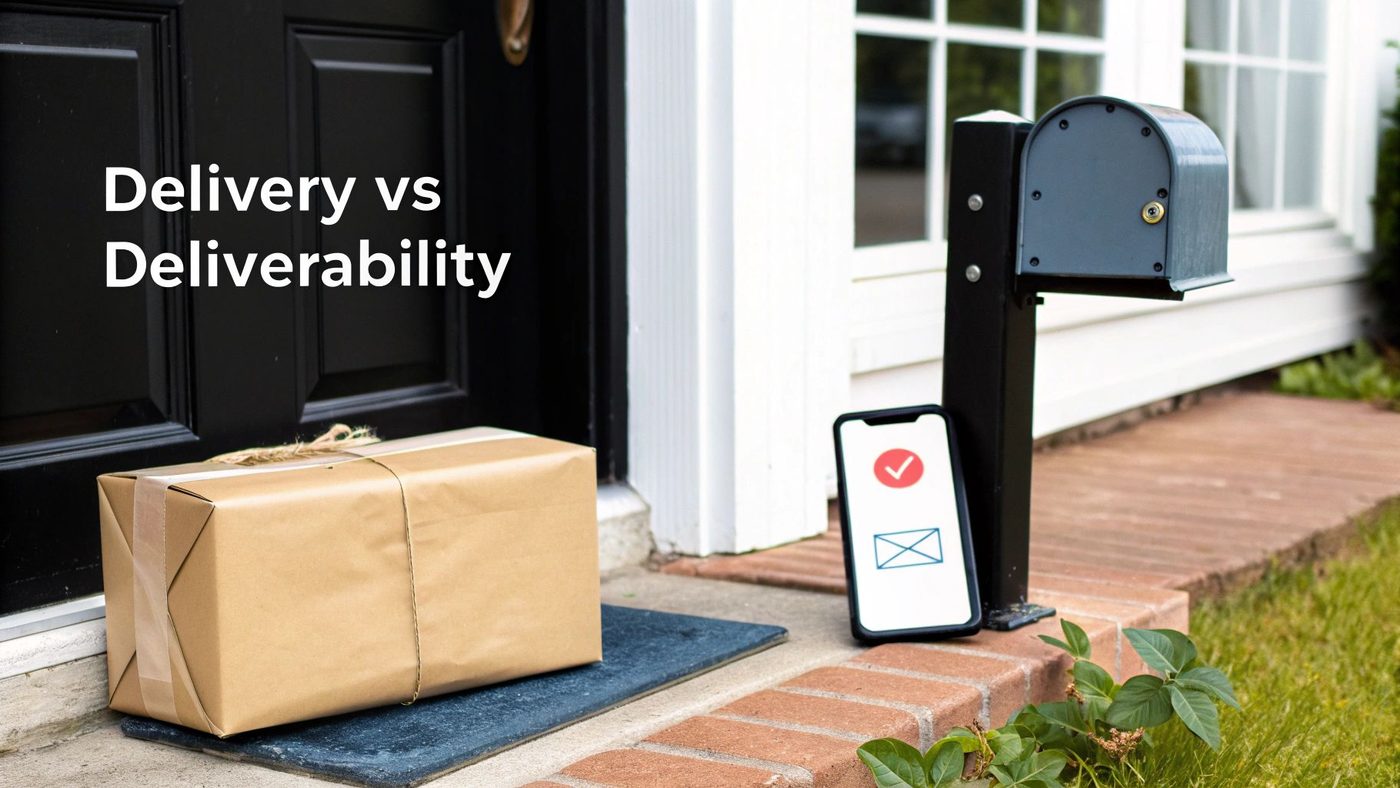
Let’s use a real-world analogy. Think of email delivery as a package arriving at the right house. The postal service confirms it got to the address. Simple enough.
But email deliverability is what happens next. It’s about ensuring that package actually makes it through the front door and into the recipient's hands, instead of getting chucked into a bin or left on the porch where it might get ignored.
This difference is everything. An email that’s "delivered" but lands in the spam or promotions folder is an email that was never truly received.
Why Deliverability Is a Revenue Metric
For any Shopify store, poor deliverability is a direct hit to your bottom line. Every flash sale announcement that ends up in spam is a lost sale. Every abandoned cart reminder that goes unseen is a customer you couldn't bring back.
Strong email deliverability isn't just a technical box to check; it's a core business metric. It ensures your marketing efforts actually connect with customers who are ready to buy.
On top of that, bad inbox placement slowly chips away at your brand's reputation. When your emails consistently miss the main inbox, you're teaching both customers and Internet Service Providers (ISPs) like Gmail and Outlook that your messages aren't important or trustworthy.
The Real-World Impact of Inbox Placement
Getting into the inbox is a challenge for everyone. Industry-wide, roughly 15-17% of all marketing emails never even make it to the primary inbox. That's a huge chunk of any campaign. In fact, some analyses show an average deliverability rate of just 83.1%, with a painful 10.5% of emails going straight to spam.
With inboxes more crowded than ever, it’s critical to understand the nuances of building email marketing solutions to maximize ROI that actually work. To make this crystal clear, let's break down the two concepts side-by-side.
Email Delivery vs. Email Deliverability at a Glance
This table breaks down the core differences between just getting an email to the server versus getting it into the inbox.
| Aspect | Email Delivery | Email Deliverability |
|---|---|---|
| What it measures | Did the recipient's server accept the email? | Did the email land in the primary inbox? |
| The goal | Avoid hard bounces (e.g., invalid email address). | Avoid the spam folder, promotions tab, and blocks. |
| Success signal | Low bounce rate. | High inbox placement rate. |
| Analogy | The package was dropped off at the right house. | The recipient brought the package inside. |
| Key question | Was it received by the server? | Was it seen by the subscriber? |
Understanding this distinction is the first step. Delivery is a technical prerequisite, but deliverability is where the real marketing magic—and revenue—happens.
The Core Pillars of Strong Email Deliverability

Great deliverability isn't about finding one magic bullet. It’s about getting five key things right, consistently. These are the pillars that hold up your entire email strategy, and mastering them is how you prove to inbox providers like Gmail and Outlook that your emails belong in front of your customers.
Think of it like building a house. You can't just have strong walls and a leaky roof. If one area is weak, the whole structure is at risk. It’s the same with deliverability—neglect one of these pillars, and you’ll find your campaigns sinking into the spam folder.
Let's break down exactly what they are and why they matter.
Pillar 1: Sender Authentication
Think of sender authentication as your email's official passport. It’s a set of technical standards—you'll see acronyms like SPF, DKIM, and DMARC—that prove an email claiming to be from your Shopify store actually is from your Shopify store. It’s how you verify you’re not a scammer spoofing a legitimate brand.
Without this "passport," inbox providers are immediately suspicious. They have no way to confirm your identity, so they play it safe and often send your messages straight to junk to protect their users. Getting your authentication right is the absolute, non-negotiable first step.
Pillar 2: Sender Reputation
Your sender reputation is basically a credit score for your sending domain. Every single time you send an email, Internet Service Providers (ISPs) are watching and grading you. When subscribers open and click your emails, your score goes up.
But when they mark you as spam, or your emails bounce, your score takes a hit. A poor reputation signals to ISPs that you're a risky sender, which means even your best emails might get blocked.
Your domain's reputation follows you everywhere. It's a long-term asset you must protect, as rebuilding a damaged one is a slow and difficult process that directly impacts your ability to generate revenue from email.
Pillar 3: List Quality and Hygiene
The health of your email list is a direct reflection of your deliverability potential. A clean, high-quality list is your biggest asset, filled with people who willingly signed up and want to hear from you.
On the flip side, a list cluttered with old, invalid email addresses, purchased contacts, or people who never engage is a deliverability time bomb. Regularly cleaning out bounced and inactive subscribers is crucial. This practice, known as list hygiene, ensures you’re sending to a receptive audience. For more on this, you can learn how to segment your email list to keep your audience even more engaged.
Pillar 4: Email Content and Structure
What you write and how you design it matters—a lot. Just like a strange-looking package gets a second look from security, certain email traits immediately trigger spam filters.
Keep an eye out for these common red flags:
- Spammy Words: Over-the-top phrases like "Free money," "Act now," or using a dozen exclamation points.
- Poor Formatting: YELLING IN ALL CAPS, using bright red fonts, or having messy, broken HTML.
- Image-to-Text Ratio: An email that's just one big image with hardly any text is a classic spammer move and gets flagged instantly.
The goal is always to create professional, valuable content for your audience, not to try and outsmart a filter.
Pillar 5: Subscriber Engagement
At the end of the day, subscriber engagement is the most powerful signal you can send. When people consistently open, click, and even reply to your emails, it's undeniable proof for inbox providers that your content is wanted.
This positive feedback creates a virtuous cycle, boosting your sender reputation and cementing your spot in the primary inbox. High engagement shows you’re having a real conversation with your customers, not just shouting promotions into a void. It's the ultimate vote of confidence.
How to Measure Your Inbox Performance

You can't fix what you can't see. Moving from theory to practice means getting comfortable with the numbers that tell the real story of your email performance. These metrics aren't just data points; they're feedback from your subscribers and their inbox providers, showing you exactly where you're hitting the mark and where you're falling short.
Most modern email platforms, including Email Wiz, have a dashboard to track these vital signs. Think of it as your own personal report card from Google and Microsoft. Let’s dive into the key numbers you need to be watching.
Key Deliverability Metrics to Watch
Your email service provider's analytics dashboard is your mission control. To get a clear picture of your inbox placement, keep a close eye on these six core metrics.
- Inbox Placement Rate: This is the big one—the percentage of your emails that actually landed in the main inbox. While many platforms don't report this directly, you can get a strong sense of it by watching your other metrics.
- Spam Rate: This tracks the percentage of recipients who hit the spam button on your email. This is a massive red flag for inbox providers. Anything over 0.1% is a serious problem that needs immediate attention.
- Open Rate: Apple's Mail Privacy Protection has definitely skewed this metric, but it’s still a useful gut check. It gives you a general idea of how well your subject lines are grabbing attention and whether your audience is still engaged.
- Click-Through Rate (CTR): Now we're talking. CTR measures how many people actually clicked a link in your email, proving your content was valuable and relevant enough to make them act.
- Complaint Rate: This is a combination of spam reports and other negative feedback. It's a direct signal to inbox providers that your emails are unwanted, and it can absolutely wreck your sender reputation.
- Bounce Rate: This is the percentage of emails that couldn't be delivered. It's vital to know the difference between hard bounces (bad, permanent email addresses) and soft bounces (temporary server problems).
By consistently monitoring these numbers, you can spot negative trends before they cause long-term damage to your sender reputation. A sudden spike in your spam or bounce rate, for example, is an early warning sign that something is wrong with your list or content.
Going Straight to the Source with Postmaster Tools
For an even deeper dive, you can get insights straight from the big players themselves. Tools like Google Postmaster Tools and Microsoft’s SNDS (Smart Network Data Services) provide a behind-the-scenes look at how they perceive your sending domain.
These free services give you access to dashboards showing:
- Your domain and IP reputation scores
- Spam complaint rates reported directly by their users
- Authentication success rates for SPF, DKIM, and DMARC
- Specific delivery errors happening on their servers
Setting these up is like getting an insider’s view from the gatekeepers who control inbox access. It’s a proactive step that helps you diagnose issues much faster and maintain a healthy sender score for the long haul.
Common Deliverability Issues and How to Fix Them
Even when you feel like you have a great handle on what is email deliverability, things can still go sideways. A sudden drop in your open rates or a flurry of bounce notifications can be alarming, but don't panic. Most deliverability hiccups are common and, more importantly, fixable.
The trick is to spot the signs early and act fast before your sender reputation takes a serious hit. Let's dig into a couple of the most frequent deliverability roadblocks Shopify stores run into and talk through how to get back on track.
Problem 1: You've Been Added to an Email Blocklist
Landing on a blocklist (often called a blacklist) is like getting a "return to sender" stamp on all your mail before it even leaves the post office. Mailbox providers use these lists to stop known spammers in their tracks, and sometimes, legitimate senders get caught in the crossfire.
This usually happens after a spike in spam complaints or if you accidentally email a "spam trap"—an old, inactive address that's now used to catch senders with poor list hygiene.
How to Fix It:
- Run a Quick Check: First, you need to confirm you're actually on a list. Use a free tool like MXToolbox to see if your domain has been flagged.
- Pinpoint the "Why": Look back at your recent campaigns. Did you send to a new, unvetted list of contacts? Did a specific email generate a ton of complaints? Finding the root cause is critical.
- Request to Be Removed: Every blocklist has its own process for getting delisted. You'll need to follow their instructions, which almost always involves proving you've fixed the problem that got you listed in the first place.
Problem 2: Your Email Content Is Tripping Spam Filters
Sometimes, the issue isn't your reputation—it's what's inside your email. Spam filters are sophisticated algorithms that scan for specific red flags in your subject lines, formatting, and even your image-to-text ratio. An email that looks suspicious to a machine can get sent straight to the junk folder, no matter how great the offer is.
Some industries have a tougher time than others. For example, the SaaS industry often sees an inbox placement rate of around 80.9%, partly because of high email volumes and list churn. This just goes to show how much clean content and good sending habits matter.
How to Fix It:
- Watch Your Language: Avoid overly aggressive, salesy phrases. Words like "FREE MONEY," "Act now!!," or using all caps and too many exclamation points are classic spam triggers.
- Create Balance: An email that's just one big image is a major red flag for filters. Always aim for a healthy mix of text and visuals. If you want to get into the weeds on this, check out our guide on whether HTML or plain-text emails perform better for Shopify stores.
- Make Unsubscribing Easy: Hiding the unsubscribe link is one of the fastest ways to rack up spam complaints. If someone wants to leave, let them go easily. It's better for your reputation in the long run.
Think about the difference a small tweak can make:
Before: "BUY NOW!!! 💥 50% OFF EVERYTHING - Limited Time Only!!! CLICK HERE"After: "Save 50% This Week on Customer Favorites"
That subtle shift in tone and formatting can be the difference between landing in the inbox and the spam folder. By tackling these common issues, you ensure all the effort you put into your campaigns actually pays off by reaching your audience.
Your Actionable Email Deliverability Checklist
Knowing the theory behind email deliverability is one thing, but putting it into practice is what actually protects your revenue and reputation. This checklist boils down the most important actions into simple, manageable steps.
Think of it as your pre-flight check before launching a new campaign or a regular health check for your whole email program. This isn't about getting lost in technical jargon; it's about building consistent habits that keep your emails landing where they belong: the inbox.
Initial Technical Setup
Getting your foundation right is non-negotiable. These are the one-time checks that prove to inbox providers like Gmail and Outlook that you're a legitimate, trustworthy sender from the very first email you send.
- Verify Your Authentication Records: Make sure your SPF, DKIM, and DMARC records are all set up correctly for your sending domain. This is like your email's official passport—without it, you'll never get through border control.
- Warm Up Your Domain: If you're just getting started, never blast your entire list at once. You have to earn trust. Start by sending to your most engaged subscribers first, then gradually ramp up your volume over a few weeks. This builds a positive sender reputation from the ground up.
Pre-Campaign Checks
Before you hit "send" on any email, take a few minutes to run through this quick list. It's a small time investment that can prevent huge deliverability headaches that might take weeks to fix.
- Run a Spam Check: Use a tool to scan your email copy and subject line for common spam trigger words, weird capitalization, or misleading phrases. Clean, simple language almost always wins.
- Confirm Audience Segmentation: Are you absolutely sure you're sending the right message to the right people? Blasting a generic email to your entire list is a surefire way to get a wave of spam complaints and unsubscribes. Double-check that your campaign is aimed at a relevant customer segment.
- Check for an Easy Exit: Is your unsubscribe link easy to find and does it work with a single click? Hiding it is a classic mistake. It just frustrates people and tempts them to hit the spam button instead, which does far more damage to your reputation.
Remember, every single email you send either builds or erodes your sender reputation. A consistent pre-send process is one of the most effective ways to ensure every campaign strengthens your standing with inbox providers.
Ongoing List Maintenance
A healthy email list is your most valuable marketing asset, but it needs regular care. If you neglect it, you're guaranteed to watch your deliverability rates sink over time.
- Schedule Regular List Cleaning: At least once a quarter, find and remove subscribers who haven't opened or clicked an email in the last 6-12 months. This is just good hygiene. It keeps your engagement rates high and signals to providers that you respect your audience's inbox.
- Monitor Your Performance Metrics: Keep a close eye on your bounce rates, spam complaints, and open rates. A sudden spike in bounces or a dip in opens is an early warning sign that something's wrong. You should even monitor automated messages, which is why we suggest reviewing these best practices for transactional emails.
- Immediately Remove Hard Bounces: Don't wait on this. Any email that results in a hard bounce (meaning the address is invalid or non-existent) must be removed from your list instantly. Trying to send to it again just tells inbox providers you aren't paying attention.
Answering Your Lingering Questions About Deliverability
Even when you've got a handle on the fundamentals, a few questions about email deliverability always seem to pop up. It's a topic full of nuances, and getting these details right can be the difference between a thriving email list and one that’s spinning its wheels. Let's tackle some of the most common questions we hear from Shopify store owners.
Think of this as tying up the loose ends—clearing up those specific "what if" scenarios you'll almost certainly run into as you scale your email marketing.
What Is the Difference Between a Hard and Soft Bounce?
Your campaign reports will show two types of bounces, and it's critical to know what they mean and how to respond. They signal completely different problems.
A hard bounce is a permanent dead end. It means the email address is fake, invalid, or simply doesn't exist anymore. In other cases, the recipient's email server might have permanently blocked you.
What to do: Remove any hard-bounced address from your list immediately. Don't hesitate. Repeatedly trying to send to a bad address is a huge red flag for providers like Gmail and will tank your sender reputation fast.
A soft bounce, on the other hand, is a temporary hiccup. The email address is real and valid, but something prevented the delivery right now. Common reasons include:
- The person's inbox is completely full.
- Their email server was temporarily offline or overloaded.
- Your email file size was too large for their server to accept.
What to do: There's no need for immediate panic. Most email platforms will try resending a few more times. However, if an address keeps soft-bouncing across multiple campaigns, it's time to let it go.
How Long Does It Take to Fix a Bad Sender Reputation?
Fixing a damaged sender reputation is a lot more like rebuilding your credit score than flipping a light switch. It’s a slow, steady process that demands patience and consistent good habits. There’s no magic "fix it" button that will instantly get you back in the good graces of inbox providers.
Depending on how bad the damage is, climbing back into their trust can take anywhere from a few weeks to several months. The only way forward is to be a model sender. That means sending great content to a clean, engaged list, keeping complaint rates at virtually zero, and making sure all your technical authentication is perfect. Each successful campaign you send is a small vote of confidence, proving you belong in the inbox.
Will Switching Email Providers Solve My Deliverability Problems?
This is a classic myth. While using a quality email service provider is a must, switching from one to another almost never fixes a deep-seated deliverability problem. Why? Because your sender reputation is tied to your sending domain (e.g., yourstore.com), not the software you use.
If your domain has been flagged for spammy content or hitting bad lists, that bad reputation will follow you wherever you go. Moving to a new platform without fixing the root cause—like your list quality, content, or authentication—is like buying a new car but keeping the same four flat tires. The problem isn't the vehicle; it's what you're doing with it. The real fix is to overhaul your sending practices, not just swap out the tool.
How to Improve Email Deliverability: Next Steps
Ready to stop worrying about deliverability and start growing your revenue? Email Wiz sets up your entire Shopify email marketing channel in seconds, with AI-powered automations designed for inbox success. Launch your revenue-driving email program today.