Mastering Shopify Marketing Automation Workflows
Build smarter Shopify marketing automation workflows that drive sales 24/7. Learn to create welcome, abandoned cart, and winback flows that actually convert.

Think of marketing automation workflows as the engine running your Shopify store's communication strategy. These aren't just one-off email blasts; they're smart, pre-built sequences that fire off based on what a customer actually does. Someone signs up? They get a welcome series. Someone leaves items in their cart? They get a gentle nudge. This is how you build a sales machine that works for you 24/7.
Why Automated Workflows Are Your Shopify Superpower
Stop spending your days manually chasing down customers. When you build smart automation workflows, you create a system that nurtures leads, rescues abandoned carts, and builds real loyalty—all while you're focused on growing the business. This is a game-changer, especially for small teams and DTC brands where every minute is precious.
The difference between a single campaign and an automated flow is huge. A campaign is a one-time thing, like announcing a flash sale. An automation, on the other hand, is a continuous, personalized conversation. It's what guides someone from their very first visit all the way to their tenth purchase and keeps them coming back.
From Manual Effort to Automatic Growth
These workflows are your secret weapon for boosting the metrics that actually matter. They're designed to save you time and make you money. It's that simple.
With a solid setup, you can start seeing real results:
- Recover Lost Sales: Automatically ping shoppers who left items in their cart. You'd be amazed how much revenue is just sitting there waiting to be recovered.
- Increase Customer Lifetime Value (CLV): Use post-purchase follow-ups and re-engagement emails to turn one-time buyers into loyal, repeat customers.
- Boost Average Order Value (AOV): Program your flows to suggest complementary products or smart upsells when the timing is just right.
The point isn't just to send more emails. It’s to create a relevant, timely experience for every single customer. That's how you build a brand that people trust and feel connected to.
Making Automation Accessible
It wasn't long ago that setting up these kinds of systems felt like a job for a full-time developer. Thankfully, that's not the case anymore. Modern tools built specifically for Shopify, like Email Wiz, have made it incredibly simple. You can get powerful, revenue-generating flows live in minutes, not weeks, using pre-built templates and AI-assisted copy that actually converts.
If you want to go deeper on the fundamentals, this complete guide to ecommerce marketing automation is a great resource. It covers everything from the basics to more advanced strategies, helping you compete with bigger brands without the headache or the hefty price tag.
Your Blueprint for Essential Ecommerce Workflows
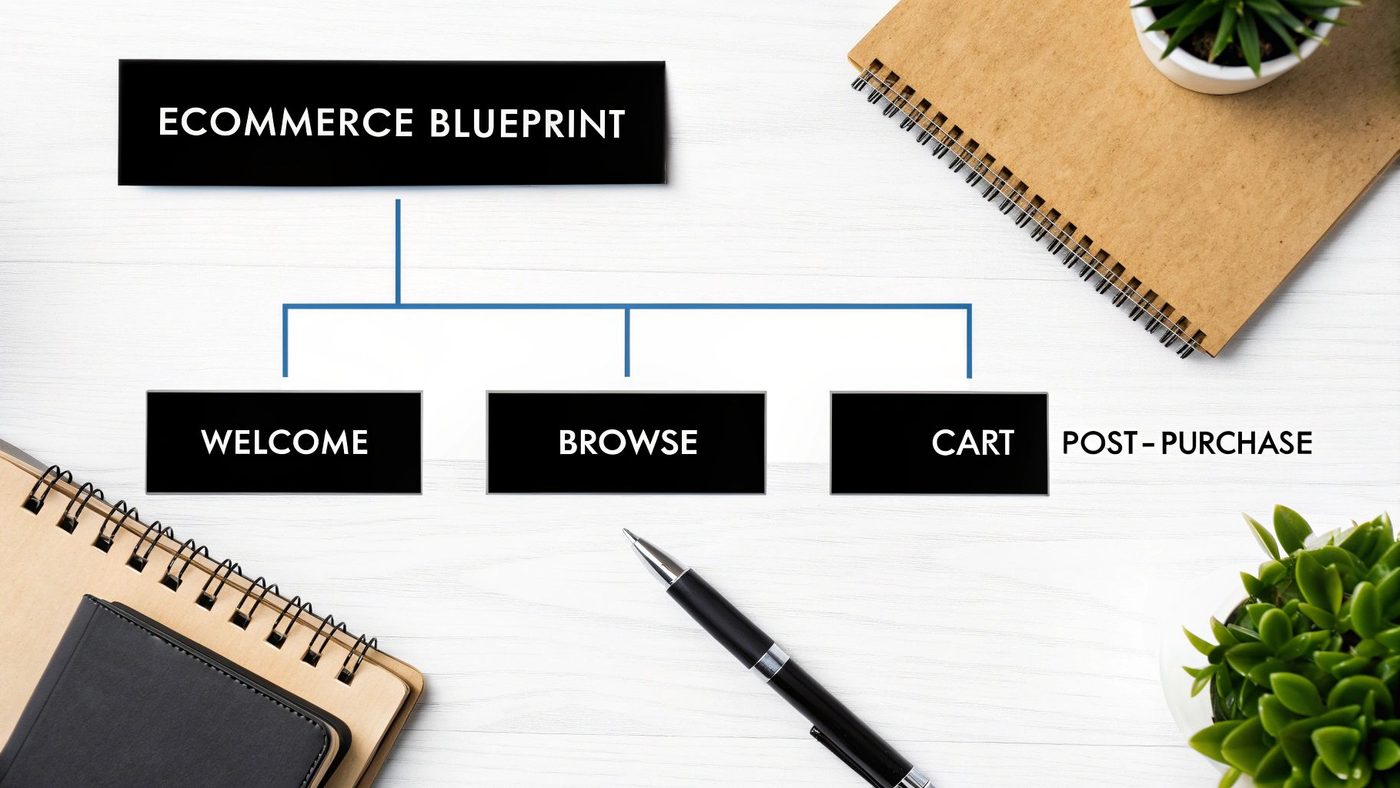
Before you touch a single subject line or draft an email, you need a plan. The best marketing automation workflows aren't just a random collection of emails; they’re carefully mapped to the customer's journey, anticipating their needs at every critical moment.
Think of it like an architect's blueprint. It ensures every automated message has a clear purpose and works with the others to guide shoppers toward a purchase and, eventually, brand loyalty. Without this strategic map, you're just sending emails into the void—and they’ll feel more like spam than helpful nudges.
So, let's break down the five foundational workflows every single Shopify store should have. This isn't just a checklist; it's a proven roadmap for building relationships and driving revenue on autopilot.
The Five Core Automation Workflows
Each of these sequences targets a specific, high-leverage moment in the customer lifecycle. By getting them all right, you create a powerful communication engine that works for you 24/7.
- Welcome Series: This is your digital handshake. As soon as someone subscribes, this series kicks off to make a great first impression, tell your brand story, and ideally, drive their very first purchase with a compelling offer.
- Browse Abandonment: A shopper clicked on a few products, showed some interest, but left without adding anything to their cart. This workflow is a gentle tap on the shoulder, reminding them of what they looked at and maybe highlighting a key feature to pull them back in.
- Cart Abandonment: This is the big one. Someone liked your products enough to add them to their cart but bailed before checking out. This is a laser-focused attempt to overcome that last-minute hesitation and recover what was almost a guaranteed sale. Honestly, it's often the most profitable automation you'll ever build.
- Post-Purchase Flow: The job isn’t done when the credit card is charged. This flow starts after an order is placed to say thank you, share shipping updates, ask for a review, and suggest related products. It's how you turn a one-time buyer into a repeat customer.
- Customer Winback: Some customers just go quiet. This workflow targets shoppers who haven't bought from you in a while, sending a targeted offer or a simple "we miss you" message to bring them back before they're gone for good.
Think Like Your Customer
The real magic here is context. You're not just blasting out emails; you're responding to specific actions with timely, relevant information. A person who just glanced at a product page needs a completely different message than someone with a full cart.
A successful automation strategy feels less like marketing and more like excellent customer service. Each email should feel like a helpful, personal follow-up that anticipates the customer's next move and makes their shopping experience better.
To get these workflows firing on all cylinders, it's worth exploring modern tools. Many successful brands are using AI-powered marketing tools to help write more persuasive copy, figure out the perfect send times, and generally sharpen their automation game.
Mapping Triggers and Goals
Understanding the "why" behind each workflow is what separates emails that get deleted from emails that get clicked. It all comes down to connecting the customer's action (the trigger) to your business goal.
| Workflow | Customer Trigger | Your Primary Goal |
|---|---|---|
| Welcome | Signs up for email list | Drive the first purchase & build brand affinity |
| Browse Abandon | Views product(s), does not add to cart | Re-engage interest & bring them back to the site |
| Cart Abandon | Adds item(s) to cart, does not purchase | Overcome objections & recover the sale |
| Post-Purchase | Completes a purchase | Increase LTV, gather social proof, cross-sell |
| Winback | Has not purchased in a set time (e.g., 90 days) | Reactivate a lapsed customer & prevent churn |
This blueprint gives you the structure. In the next few sections, we’ll get into the nitty-gritty of building each of these, covering timing, copy ideas, and performance tips. If you're eager to get started, you can also check out this guide to build your first marketing automation workflow for a look at the technical setup.
Crafting a Welcome Series That Actually Converts
Let's be honest: your welcome series is probably the most important automation you'll ever build. This isn’t just a formality or a polite "hello." It's your single best shot at making a killer first impression.
Subscribers are never, ever more engaged than in the moments right after they hand over their email address. A smart welcome flow seizes that flicker of interest and turns it into real trust, setting the stage for that crucial first purchase.
Think of it as the digital version of a warm greeting when someone walks into your shop. The data doesn't lie: subscribers who get a welcome email show 33% more long-term engagement with a brand. Your job here is to introduce your brand, show them why you're different, and make them feel like they just joined an exclusive club.
The Proven 3-Email Welcome Sequence
You could build a 10-email epic, but let’s start with what works. A three-email sequence is the sweet spot for most Shopify stores. It gives you enough touchpoints to build a real connection without immediately overwhelming someone's inbox.
Timing is everything. You need to stay top-of-mind without being annoying.
Here’s a cadence I’ve seen work wonders time and time again:
- Email 1: Send instantly after they sign up. No delays.
- Email 2: Follow up 2 days later.
- Email 3: Send the final one 4 days after signup.
This gives you a tight, high-impact window to deliver your offer, tell your brand's story, and then seal the deal with social proof.
Email 1: The Instant Offer
This one has to land in their inbox the second they hit "subscribe." Any delay feels like a missed connection, and their peak interest is fading by the minute. The goal is simple: give them the discount you promised and make it incredibly easy to use it.
How to build it:
- Subject Line: "Welcome! Your 15% Off Code Is Inside" or "You're In! Here's a Little Something From Us"
- Body: A genuine welcome, followed immediately by the offer. Keep it brief. Get straight to the point.
- Call to Action (CTA): A big, obvious button like "Shop Now & Save 15%" that takes them right to your best-sellers or main collection page.
This first email is all about getting a quick win. Don't bog it down with your entire brand story yet. Just deliver the goods and clear the path to a sale.
Email 2: The Brand Story
Two days in, it's time to go a little deeper. The discount is out there, but now you need to build a real connection. This email is where you move past the transaction and start building loyalty. Tell them your story, share your mission—what makes you you?
People don't just buy products; they buy into a story.
How to build it:
- Subject Line: "Our Story (And Why It Matters)" or "More Than Just [Your Product Category]"
- Body: Share your "why." Did you start the company to solve a personal problem? Are you obsessed with sustainable materials? Use your real voice. Let the person behind the brand shine through.
- Call to Action (CTA): This can be a softer sell. Instead of just "Shop Now," try "Discover Our Mission" or "Learn About Our Process," linking to your About Us page.
The goal here isn't always an immediate sale. You're planting the seeds for long-term loyalty by showing the human side of your business. This is what turns a one-time customer into a true fan.
Email 3: The Social Proof Push
Alright, it’s day four. You've made your introduction and shared your story. Now it's time to bring in the reinforcements: your other happy customers. This email is all about using social proof to overcome any last-minute hesitation.
How to build it:
- Subject Line: "See What Everyone's Raving About..." or "Don't Miss Out On These Best-Sellers"
- Body: Showcase 3-4 of your top-selling products. But don't just show the products—pair them with snippets of 5-star reviews or user-generated photos from Instagram. It adds a massive layer of authenticity.
- Call to Action (CTA): Time to create a little urgency. Gently remind them their welcome discount is about to expire. A direct CTA like "Shop Best-Sellers Before Your Code Expires" works perfectly.
The Secret Sauce: Smart Segmentation
Here’s a pro tip that so many stores miss: know when to shut the welcome series off.
If a new subscriber buys something after email #1, they should never receive emails #2 and #3. Nothing feels more robotic than getting an email with a "first purchase" discount right after you've, well, made your first purchase.
Instead, they should be automatically moved from the welcome flow into your post-purchase series. This is where a tool like Email Wiz is a lifesaver, because it handles all of this logic for you, making sure your automations always feel smart and personal.
Recovering Sales with Abandonment Workflows
Alright, let's talk about money. More specifically, the money you’re probably leaving on the table every single day. The two most profitable marketing automation workflows you can build for your Shopify store are the ones designed to pull back sales that would otherwise just disappear: browse abandonment and cart abandonment.
A lot of merchants get hyper-focused on cart abandonment—and for good reason, it's crucial. But that's only seeing half the picture. When you ignore browse abandonment, you're missing out on a huge opportunity to re-engage shoppers who were this close to buying but never added a product to their cart.
Tackling both is a true game-changer for your revenue. One workflow catches shoppers just as serious interest sparks, while the other swoops in to save a sale that's nearly over the line.
The Critical Difference Between Browse and Cart Abandonment
You have to understand the distinction between these two moments. If you don't, your messages will fall flat. The shopper's mindset is completely different at each stage, and your emails need to reflect that.
- Browse Abandonment: This kicks in when a known subscriber (someone already on your list) looks at a product page one or more times but bounces without adding anything to their cart. They're curious, maybe even tempted, but not yet committed.
- Cart Abandonment: This is triggered when someone actually adds items to their cart but then leaves before checking out. They’ve moved past simple curiosity and made a choice—they just need that final nudge to complete the purchase.
Your approach for a browse abandoner should be gentle and helpful. Think product features, social proof, or maybe a style guide. For a cart abandoner, you can be much more direct and remind them exactly what they're leaving behind.
Building a High-Converting Cart Abandonment Workflow
Let’s walk through a proven, multi-email cart abandonment flow that I've seen work time and time again. This isn't about being pushy; it's about using smart, timely communication to dissolve hesitation and remind people why they were so interested in the first place. A well-executed series can realistically recover between 10% to 20% of lost sales.
The timing of this sequence is everything. You have to act while the impulse to buy is still fresh.
The Proven 3-Email Sequence:
- Email 1 (The Gentle Reminder): Send 1 hour after abandonment.
- Email 2 (The Social Proof Nudge): Send 24 hours after abandonment.
- Email 3 (The Final Offer): Send 48 hours after abandonment.
This cadence strikes the perfect balance. It’s helpful and creates a touch of urgency without annoying your potential customer.
Remember, the first email isn't a hard sell. It's a helpful tap on the shoulder. Most carts are abandoned because of simple distractions—the dog starts barking, a delivery arrives, or the page just loaded too slowly. Often, all someone needs is an easy link right back to their cart.
Email 1: The Helpful Reminder
One hour after they've left, the memory of your products is still crystal clear. This email needs to be dead simple, direct, and focused on one thing: getting them back to their cart.
- Subject Line: "Did you forget something?" or "Your cart is waiting for you"
- Body: Keep the copy light. Show a great image of the exact product(s) they left behind. A friendly header like, "Looks like you left something behind!" is all you need.
- CTA: Make the button big, bold, and impossible to miss. "Return to My Cart" or "Complete My Order" works perfectly.
Email 2: The Social Proof Nudge
A full day later, their initial excitement might be wearing off. Now’s your chance to rebuild that confidence and tackle any second-guessing. Social proof is your best friend here.
- Subject Line: "Don't just take our word for it..." or "Your [Product Name] is getting great reviews"
- Body: Remind them of the product, but this time, pair it with a glowing 5-star review or a snippet of a customer photo. Showing them that real people love the product can be the final push they need.
- CTA: "See What Others Are Saying" or "Claim Your Items."
Email 3: The Final Offer
After 48 hours, it's time to create a bit of urgency. This is your last real shot at recovering the sale, so a small, time-sensitive incentive can be incredibly effective.
- Subject Line: "A little something to help you decide" or "Your cart expires soon..."
- Body: Be clear that this is their last reminder. Then, offer a modest incentive like 10% off or free shipping that expires in 24 hours. Scarcity is a powerful motivator.
- CTA: "Get 10% Off Now" or "Complete Your Order with Free Shipping."
For a deeper dive into specific copy that converts, check out our complete guide on how to use abandoned cart emails to recover lost Shopify sales. Setting up these flows with precise timing can feel complex, but platforms like Email Wiz automate the whole process, making sure every abandoned cart gets the perfect sequence of messages to maximize your recovered revenue.
Driving Loyalty with Post-Purchase and Winback Flows
Here's a common mistake I see Shopify merchants make: they put all their effort into getting the first sale and then… silence. The sale isn't the finish line; it's the starting gun for building a real customer relationship. The real, sustainable growth for your store comes from turning that one-time buyer into a loyal fan who comes back again and again.
This is exactly where your post-purchase and winback marketing automation workflows shine. They aren't just polite follow-ups. Think of them as your automated engines for driving customer lifetime value (LTV). We all know acquiring a new customer can cost five times more than keeping an existing one, which makes these flows some of the most profitable marketing you'll ever do.
Transform Your Post-Purchase Sequence
A basic order confirmation is just table stakes. A strategic post-purchase flow, on the other hand, is a conversation. It reassures the customer they made a great choice, keeps them excited while their order is in transit, and opens the door for future purchases. It's your prime opportunity to build a genuine connection.
Let’s walk through a simple but highly effective 3-email flow:
- Email 1 (The "Thank You & What's Next"): Send this immediately after they hit "buy."
- Email 2 (The "How'd We Do?"): This one goes out 7-14 days after delivery. The timing really depends on your product and how long it takes for someone to form an opinion.
- Email 3 (The "You Might Also Like"): Send this 21-30 days after their purchase.
This cadence gives the customer room to breathe, lets them actually use the product, and then re-engages them right when they might be thinking about buying again.
Email 1: The Immediate Thank You
This first message needs to land in their inbox the second they complete their order. Yes, it's an order confirmation, but its real job is to build trust and keep the excitement going.
A quick copy idea:
- Subject: Your order is in! We're already on it.
- Body: "Thanks for your order, [Customer Name]! We know you're going to love it. While you wait, check out our guide on getting the most out of your new [Product Type]."
- CTA: "Track Your Package"
Email 2: The Social Proof Builder
Once the customer has had enough time to unbox and use their new item, it's the perfect time to ask for a review. The key here is to make it incredibly easy. Link them directly to the review section on the product page.
Try something like this:
- Subject: How are you liking your [Product Name]?
- Body: "We hope you're enjoying your new purchase! If you have a moment, we'd love it if you could share your thoughts. Your feedback helps other shoppers make great choices, too."
- CTA: "Leave a Quick Review"
Email 3: The Strategic Cross-Sell
Now we get to intelligently boost LTV. Don't just blast them with random products. Dig into your data. Suggest items that actually complement what they already bought. If they bought a high-end coffee maker, it's the perfect time to suggest your premium espresso beans.
Here's a simple template:
- Subject: A perfect match for your [Product Name]
- Body: "We saw you recently picked up the [Product Name]. A lot of our customers find it pairs perfectly with these items. Take a look!"
- CTA: "Shop Recommended Gear"
Your post-purchase flow is the bridge between a single transaction and a long-term relationship. It's not just about selling more; it's about adding value and reinforcing the customer's decision to buy from you in the first place.
To take this even further, you can start exploring strategies for maximizing customer retention with a small business loyalty program, which works beautifully alongside your automated emails.
The Customer Winback Workflow
It happens to every store: some customers just go quiet. A winback workflow is your automated safety net, designed to re-engage these shoppers before they're gone for good.
First things first, you have to define what "lapsed" means for your brand. If you sell coffee beans, maybe it's 60 days without a re-order. If you sell durable leather bags, it could be closer to 180 days.
Once you’ve set that trigger, you can build a simple flow to entice them back into the fold.
A simple 2-email winback sequence:
- Email 1 (The Gentle Nudge): This should trigger right at your defined "lapsed" mark (e.g., after 90 days of inactivity). The tone here is key—keep it light and friendly. A simple "we miss you" message that reminds them what they loved about your brand is perfect.
- Email 2 (The Compelling Offer): If the first email doesn't get a bite, send this one 7-10 days later. Now's the time to introduce a strong, time-sensitive offer they can't ignore, like 20% off their next order or a free gift.
The goal isn't to recover every single lapsed customer. It's to automatically rescue a meaningful percentage of at-risk revenue. These post-purchase and winback flows are your secret weapons for building a resilient, profitable Shopify store that grows through loyalty, not just constant—and costly—acquisition.
Fine-Tuning Your Automations for Maximum Impact
Getting your automated email flows live is a huge first step. But the real magic—and the real money—comes from what you do next. Think of your automations not as a finished product, but as a living part of your business that needs regular check-ups and tweaks to perform at its best.
You don't need to get lost in a sea of data. For a Shopify store, a handful of key metrics will tell you almost everything you need to know. Focusing on these will help you make smart, decisive changes that actually move the needle on revenue.
What to Watch: The Metrics That Matter
For each of your core automations, keep a close eye on a few vital signs. These numbers paint a clear picture of how your emails are resonating with customers and, more importantly, if they're making you money.
- Open Rate: This is your first impression. It’s the percentage of people who saw your subject line and decided it was worth their time. A low open rate often points to a weak or uninspired subject line.
- Click-Through Rate (CTR): Once they're inside, are they taking the next step? CTR measures how many people clicked a link in your email, showing you how compelling your message, offer, and call-to-action really are.
- Conversion Rate: This is the big one. It's the percentage of people who actually completed the goal, like finalizing a purchase. This tells you if the workflow is truly doing its job.
While opens and clicks are great for diagnosing problems, the number one metric for any e-commerce business is Revenue Per Recipient (RPR). This cuts straight to the point, showing you exactly how much cash each email you send is bringing in.
Turning Insights Into Action
Once you have a baseline for your metrics, it's time to start experimenting. The goal here isn't a massive overhaul; it's about making small, deliberate changes and seeing what works.
This is where A/B testing becomes your best friend. It’s simple: you create two versions of an email (an A and a B) with one specific difference, send them to two random halves of your audience, and see which one wins.
Not sure where to start? Try testing some of these variables:
- Subject Lines: Pit a straightforward, benefit-driven subject line against one that sparks curiosity.
- Email Copy: Does your audience respond better to short, punchy copy or a more detailed, story-driven message?
- Call-to-Action: See what gets more clicks: a simple "Shop Now" or something more specific like "Claim Your 15% Off."
- Timing: For cart abandonment, does sending the first email after 1 hour outperform sending it after 4 hours? Test it!
This cycle of measuring, testing, and refining is what separates a decent automation from a powerhouse that reliably drives sales day in and day out.
To keep things organized, it helps to know which metrics are most important for each specific workflow.
Key Metrics for Workflow Optimization
Here's a breakdown of the essential metrics to track for each core marketing automation workflow. Focusing on these will ensure you're optimizing for what truly matters: peak performance and revenue generation.
| Workflow Type | Primary Metric | Secondary Metrics | Optimization Goal |
|---|---|---|---|
| Welcome Series | Conversion Rate | Open Rate, CTR, RPR | Convert new subscribers into first-time buyers and build brand loyalty. |
| Cart Abandonment | Recovered Revenue | CTR, Conversion Rate | Recapture otherwise lost sales by reminding shoppers of their cart items. |
| Post-Purchase | Repeat Purchase Rate | Open Rate, Product Review Clicks | Encourage a second purchase, gather social proof, and reduce buyer's remorse. |
| Winback Campaign | Re-engagement Rate | Open Rate, CTR, Conversion Rate | Bring dormant customers back into the fold and make another purchase. |
| Promotional Flow | Conversion Rate | RPR, CTR, Unsubscribe Rate | Drive immediate sales during a specific campaign or sales event. |
By tracking these specific KPIs for each type of automation, you can quickly identify where the opportunities are and focus your efforts on the tweaks that will have the biggest impact on your bottom line.
Unpacking Shopify Email Automation: Your Questions Answered
Diving into marketing automation workflows always brings up a few common questions. It’s completely normal. Getting these fundamentals right is the difference between a strategy that works and one that just makes noise. Let's clear up some of the most frequent sticking points for Shopify merchants.
How Many Emails Should Be in a Workflow?
There's no rigid rule here, but from what I’ve seen work best, a welcome series does well with 2-4 emails, while an abandoned cart flow is most effective at 2-3 emails. The whole point is to be a helpful guide, not a pushy salesperson.
Think of it in terms of timing and intent. A welcome series can comfortably play out over a week, giving you space to tell your brand story. An abandoned cart sequence, on the other hand, needs to be much quicker—usually all wrapped up within 48 hours to catch that customer while the buying decision is still fresh.
Keep a close eye on your unsubscribe rates. If they spike, you might be sending too much, too fast.
Can I Run Multiple Workflows at the Same Time?
You absolutely should. In fact, a truly effective automation strategy depends on having several workflows running at once. The secret sauce is using smart suppression rules so customers don't get a jumbled mess of messages.
Here’s a practical example: A shopper abandons their cart and gets your first recovery email. They click, buy, and boom—they're a customer. Your system should be smart enough to immediately pull them out of the abandoned cart flow and drop them right into your post-purchase series. Good automation platforms handle this logic behind the scenes, ensuring the customer journey feels personal and logical.
A simple way to think about it: campaigns are what you send, while automations are what your customers trigger. An email campaign is a one-off send, like a weekly newsletter. An automation is a sequence of emails that fires automatically based on an action, like signing up or buying a product. Campaigns are for making announcements; automations are for building relationships.
Shopify Marketing Automation Strategy: Takeaway
Ready to get these powerful, revenue-driving workflows running in minutes? Email Wiz builds out your entire Shopify email strategy—from welcome series to cart recovery—with a single click. Get started with Email Wiz today and find out just how much revenue you can recover on autopilot.